

About This File
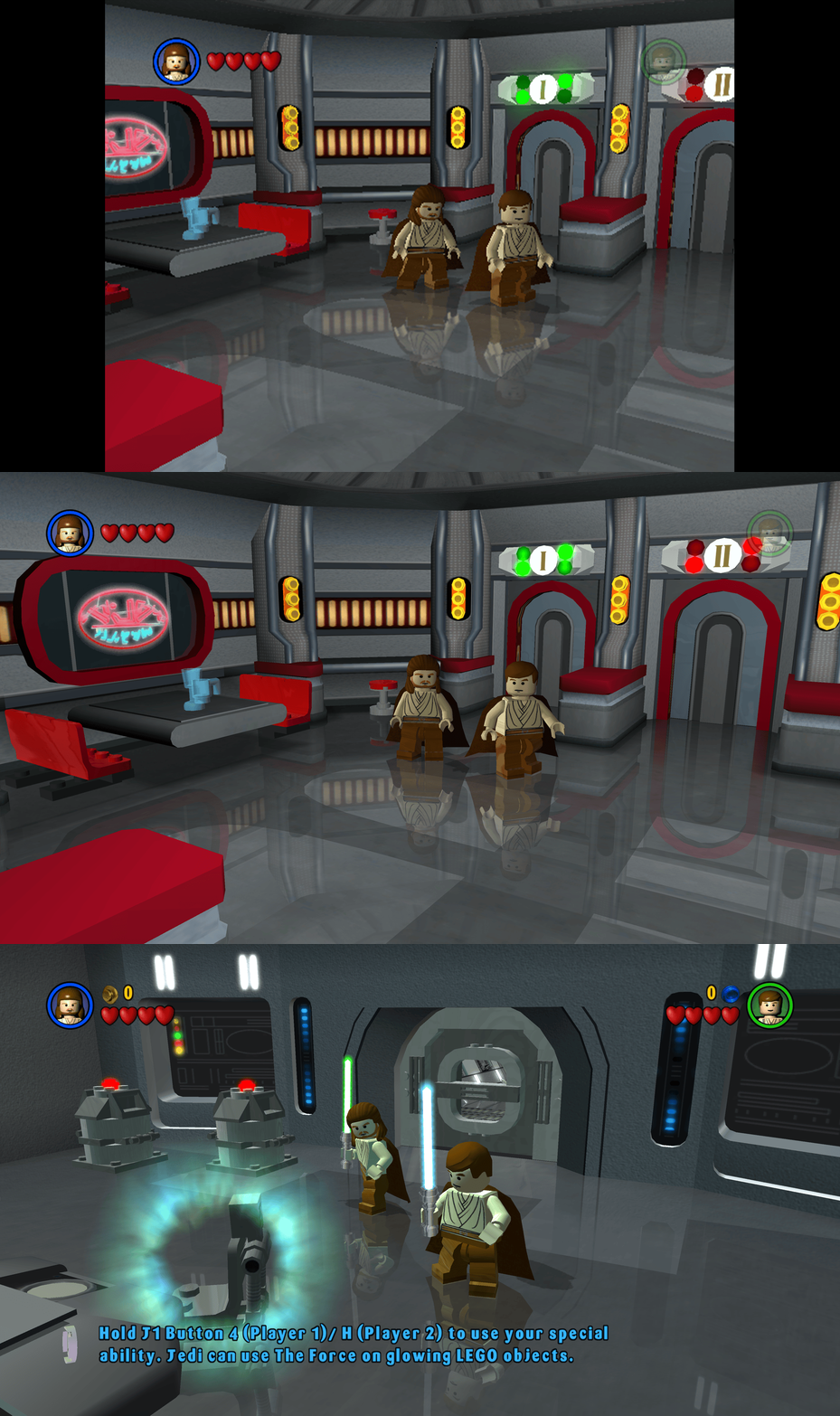
This fix adds modern PC features to Lego Star Wars (2005).
Requirements before using the fix
Before using the fix for it to work properly you MUST have patched the game up to 1.0.0.2 release. If you have not updated your Lego Star Wars (2005) already then you can download the patch from here - Lego Star Wars (2005) 1.0.0.2 Patch
Features included in this fix
- Higher Resolutions and Aspect Ratio support
- HUD corrections for higher resolutions/aspect ratios
- Custom higher framerate support
- Developer Menu
How to use
- Download the latest Lego Star Wars (2005) PC Fix.zip
- Extract the d3d9.dll, d3d9.ini, ChipDebug.ini and ChipDebugLSW.exe files into your game folder next to the LegoStarWars.exe file and you are good to go!
- You can edit the settings you wish to use in the d3d9.ini and ChipDebug.ini files.
Resolution,Aspect Ratio and HUD Corrections
The default for resolution is set to (1920 x 1080) in the d3d9.ini file. Put the resolution that you wish to use in both the Width and Height area. Aspect Ratio and HUD size is auto calculated by the Resolution you choose.
FPS
The default for FPS is (60) you can change it as you wish with the FPSLimit option in the d3d9.ini file. It is recommended to not go above 60.
Developer Menu
Put ChipDebugLSW.exe and ChipDebug.ini with d3d9.dll and d3d9.ini. Go into ChipDebug.ini and set the settings, you SHOULD pay attention to your region of your game. if you want the game to run after you run the patcher program set LAUNCH_GAME=1 if not then LAUNCH_GAME=0 the default is 0
REGION SETTINGS:
Set EXACTLY ONE of the following to 1.
All others must be 0.
EU = Patch the EUROPE / PAL version of the game
EU_RESET = Restore the ORIGINAL EU executable
US = Patch the UNITED STATES / NTSC version of the game
US_RESET = Restore the ORIGINAL US executable
Examples:
Enable EU debug: EU=1
Disable EU debug: EU_RESET=1
[REGION]
Region selection (choose ONE only)
EU=1
EU_RESET=0
US=0
US_RESET=0
Developer Menu becomes available in the game after patching it once enabled it is advised that you DON'T use in the main menu its a bit buggy use it once you get into the game itself by pausing and going to options.
After setting up in the ini then run ChipDebugLSW.exe then you can play the game normally by using LegoStarwars.exe, if for any reason you want to turn off developer mode then just use the patcher program again. it will also give you a LegoStarwars.exe.bak incase of failures.
Issues/Problems
If you have any issues, with the fixes then please go to discord for help linked below.
Vote to see the game return via GOG Dream list
If you are interested in potentially seeing this game easily available to purchase and use today then go and vote on the games GOG Dream list to help make this become a reality, you can vote for the game here and write a message about the game if you wish – Lego Star Wars (2005) GOG Vote
Fix Enhancers
“Creating compatibility fixes and enhancements for legacy PC games.”
Chip – Founder, Reverse Engineer, Programmer, Developer, Game Preservationist
JokerAlex21 – Founder, Admin, Tester




Recommended Comments
There are no comments to display.
Join the conversation
You can post now and register later. If you have an account, sign in now to post with your account.