
Search the Community
Showing results for tags 'windowed'.
Found 4 results
-
Fix.thumb.gif.1c578ff01b954548648adb2653e1675b.gif)
Version 1.0.0
51 downloads
This fix adds modern PC features to The Hobbit (2003). Official Video Guide Requirements before using fix For the fix to work properly YOU MUST HAVE patched the game up to version 1.3, which also contains bug fixes. If you have not done so already then you can download the patch from here - The Hobbit (2003) 1.3 Patch Features included in this fix FPS Toggle (between 60 and 30fps) Higher FOV support Full mouse look movement Windowed/Borderless Window support How to use Download the latest The Hobbit (2003) fix (that is correct for you) of either: The Hobbit (2003) Mouse Look On Fix (Main fix to use) The Hobbit (2003) DLL Only Fix (If user wishes to use other 3rd party apps such as Reshade use this fix) The Hobbit (2003) General Fix Once you have downloaded the correct fix for you extract the files into your games main install folder next to the Meridian.exe file and you are good to go! You can edit the settings you wish to use in the various ini files. Resolution It is advised that the Resolution is changed within the pause menu options. This is due to a bug that can occur on the main menu which prevents the user from being able to change their Resolution properly. FPS FPS can be toggled in the game, you can set whichever hotkey you wish in d3d8.ini use [hotkey]keycodes.txt to see which hex code belongs to the key you want to use and copy paste it to the d3d8.ini hotkey setting. This will mean that you can use the key you select to toggle between 30 and 60 FPS in game at any time. The default is 0x55 which is the "U" key on the keyboard. The user will have to use this toggle on the chest puzzles as they speed up on any FPS above 30 and become impossible to complete. It is also advised the user does this for the vines that can break under Bilbo's weight. These can sometimes break faster than intended but not all the time. FOV FOV is off by default in the ini which is set to '0'. The d3d8ini has 3 options to choose from in this fix, slightly zoomed out, a bit more zoomed out and mega zoomed out (1),(2) or (3). The Hobbit (2003) Mouse Look On Fix This version is so that you can use the mouse to not only pan the camera left and right but also pan the camera up and down at all times during gameplay using the MouseLook feature. IMPORTANT make sure to go into the main menu -> options -> controls -> keyboard -> next -> next -> MouseLook -> Remap this key specifically to the NUMPAD - (subtract) on your keyboard by clicking the key its set to -> then clicking NUMPAD subtract '-'. Play the game with full camera pan in all directions on the mouse. Incase you dont have acess to the NUMPAD subtract '-' key on your keyboard then follow the instructions below: Set your own key for this inside of d3d8.ini under [INPUT] AlwaysHoldVK=0x6D -> default is numpad - (subtract) You can use the included file called [hotkey]keycodes.txt to change the key. If you change the key in the d3d8.ini make sure you also go into the main menu -> options -> controls -> keyboard -> next -> next -> MouseLook -> Remap this key specifically to the key you have now set inside of d3d8.ini otherwise this feature will not work. The Hobbit (2003) DLL Only Fix This version uses 13AGs ultimate ASI loader to inject a DLL only version of the fix into the game. This will work alongside ReShade, RTX Remix, and other mods using d3d8.dll. Put the winmm.dll and update folder into your game folder next to the Meridian.exe and your good to go. If you want to just use the DLL only then take Chip.asi and chip.ini rename Chip.asi to Chip.dll and you can inject it yourself. Issues/Problems If you have any issues, with the fixes then please go to discord for help linked below. Fix Enhancers Discord Server Vote to see the game return via GOG Dream list If you are interested in potentially seeing this game easily available to purchase and use today then go and vote on the games GOG Dream list to help make this become a reality, you can vote for the game here and write a message about the game if you wish – The Hobbit (2003) GOG Vote Fix Enhancers Fix Enhancers Website “Creating compatibility fixes and enhancements for legacy PC games.” Credit to Elisha Riedlinger for the base wrapper and ThirteenAG ultimate asiloader. Chip – Founder, Reverse Engineer, Programmer, Developer, Game Preservationist JokerAlex21 – Founder, Admin, Tester -
Version 1.0.0
97 downloads
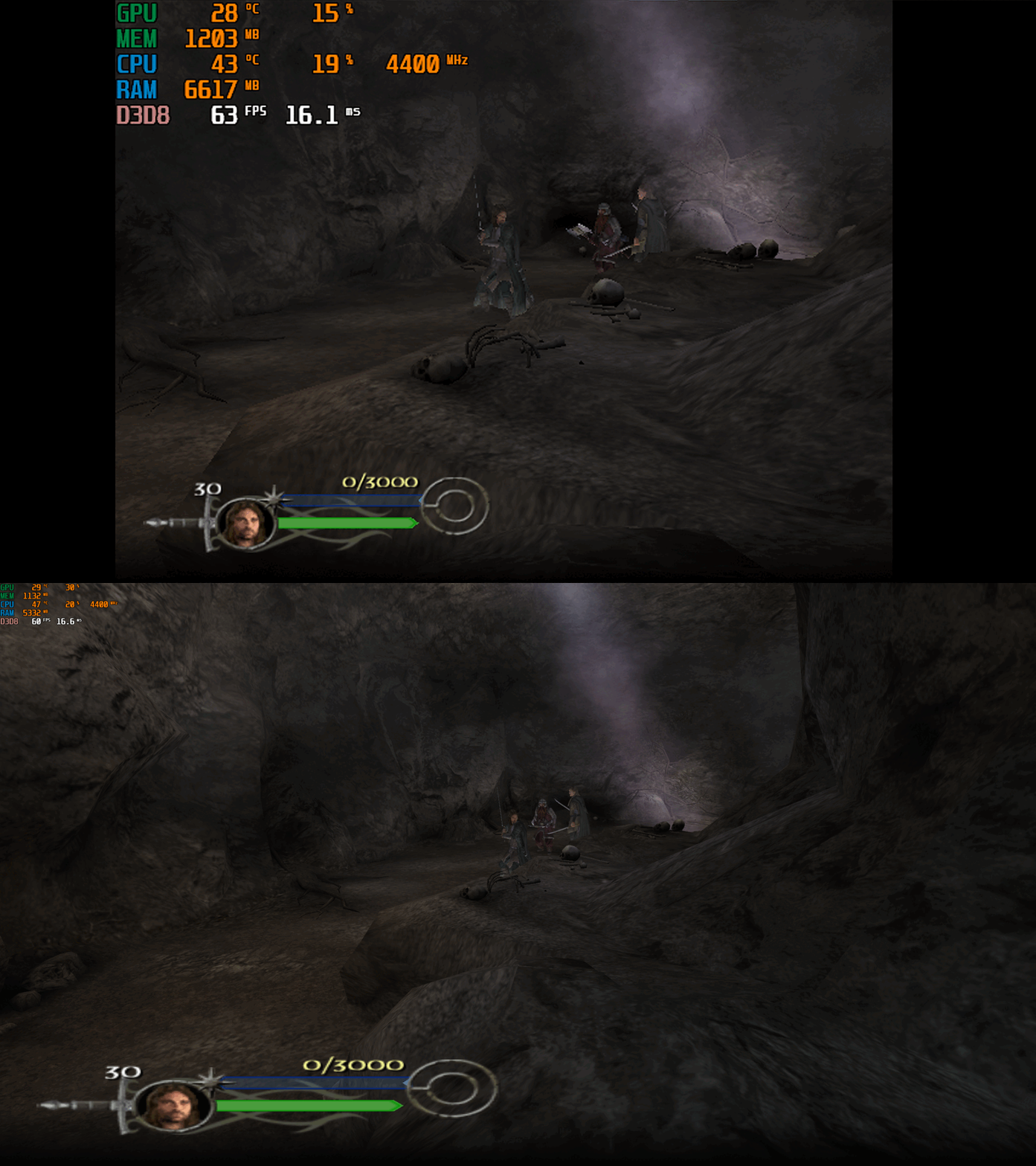
This fix adds modern PC features to The Lord of the Rings the Return of the King. Official Video Guide Requirements before using the fix YOU MUST download the amazing Nemesis2000 widescreen fix from here - Nemesis 2000 LOTRROTK Resolution/Aspect Ratio Fix Once you download the Nemesis2000 fix place the LOTRW.dll and LOTR.ini into the games install folder next to the ROTK.exe file. DO NOT PLACE THE d3d8.dll file from Nemesis2000 fix into the game install area as this is replaced by the Fix Enhancers Fix.dll file instead. The Nemesis2000 fix will cover the resolution and aspect ratio side while the Fix Enhancers fix covers everything else. Features included in this fix Higher Resolutions and Aspect Ratio support (via the Nemesis 2000 fix) Custom higher framerate support Higher FOV support Windowed/Borderless Window support How to use Download the latest The Lord of the Rings the Return of the King PC Fix file Extract it and put the Fix.dll and d3d8.ini into your game folder next to the ROTK.exe file and you are good to go! You can edit the settings you wish to use in the d3d8.ini file. Download the Nemesis 2000 Fix and extract the LOTR.ini and LOTRW.dll files into your game folder next to the ROTK.exe file. Edit the LOTR.ini file to edit the resolution you wish to use. Resolution/Aspect Ratio Open the LOTR.ini file and next to Width and Hight put your resolution for example (3840x2160). Note that once you boot up the game it will now be set to the correct resolution and aspect ratio. However, DO NOT change the resolution in the games graphics options, the resolution you put in the LOTR.ini file will not show up in the resolution list within the game which is normal. FPS The default for FPS is (60) you can change it as you wish or fully uncap it with (0) with the FPSLimit option in the d3d8.ini file. The FPS has been limited to 120fps in this fix due to game breaking bugs going above 120fps. FOV The default for FOV is (0) which is off, you can turn this on in the d3d8.ini by changing the (0) to (1). It is recommended that this is kept off by default due to FOV being quite broken in multiple areas of the game such as the level selection menu. You can use this setting, and it will work mostly fine during gameplay and will fix issues on higher resolutions where the camera goes inside the characters during cutscenes. The FOV is a work in progress and will be further looked into. Issues/Problems If you have any issues, with the fixes then please go to discord for help linked below. Fix Enhancers Discord Server Vote to see the game return via GOG Dream list If you are interested in potentially seeing this game easily available to purchase and use today then go and vote on the games GOG Dream list to help make this become a reality, you can vote for the game here and write a message about the game if you wish – The Lord of the Rings the Return of the King GOG Vote Fix Enhancers Fix Enhancers Website “Creating compatibility fixes and enhancements for legacy PC games.” Chip – Founder, Reverse Engineer, Programmer, Developer, Game Preservationist JokerAlex21 – Founder, Admin, Tester -
-
Fix.thumb.gif.1c578ff01b954548648adb2653e1675b.gif)

