Search the Community
Showing results for tags 'lego'.
Found 6 results
-

Version 1.0.0
131 downloads
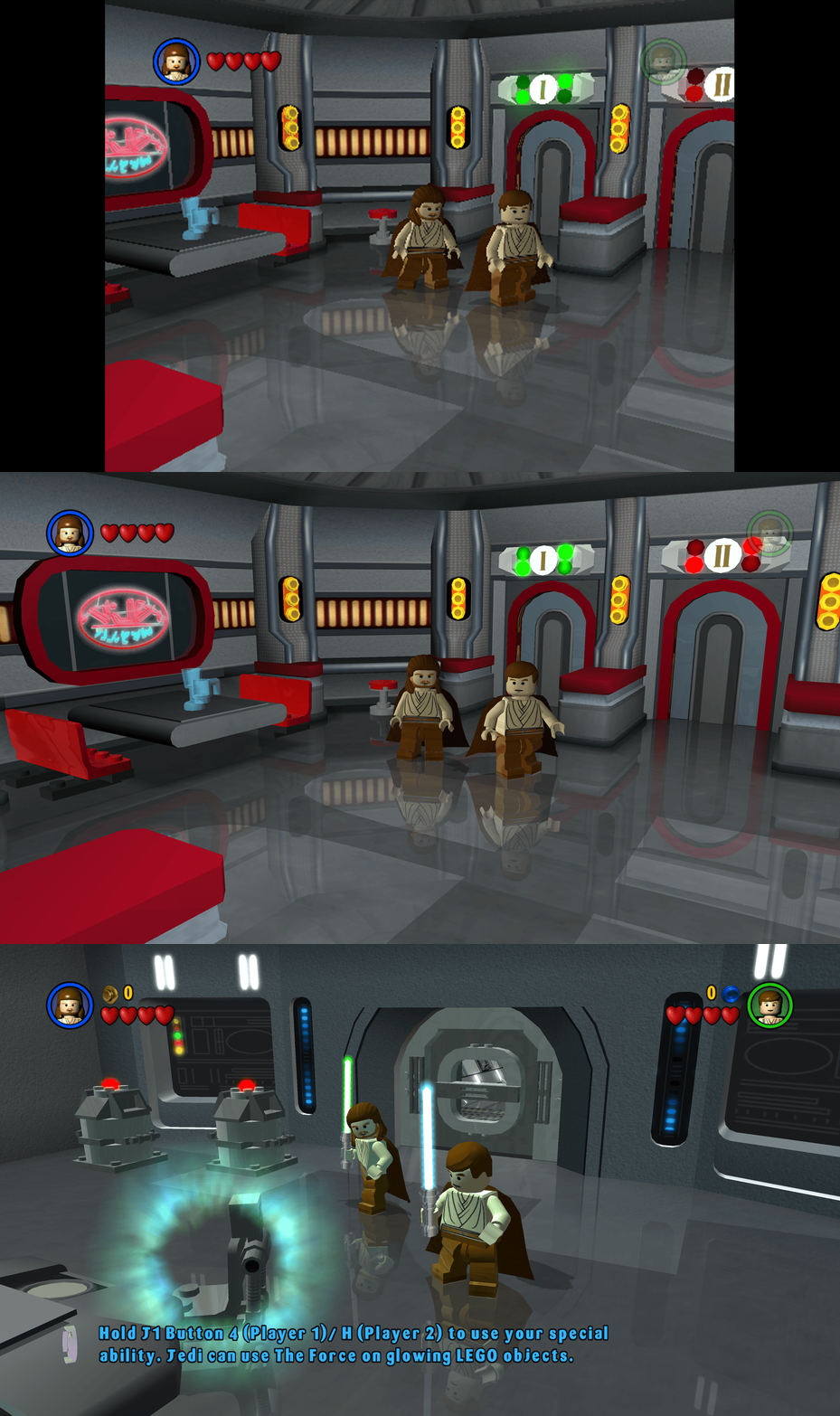
This fix adds modern PC features to Lego Star Wars (2005). Requirements before using the fix Before using the fix for it to work properly you MUST have patched the game up to 1.0.0.2 release. If you have not updated your Lego Star Wars (2005) already then you can download the patch from here - Lego Star Wars (2005) 1.0.0.2 Patch Features included in this fix Higher Resolutions and Aspect Ratio support HUD corrections for higher resolutions/aspect ratios Custom higher framerate support Developer Menu How to use Download the latest Lego Star Wars (2005) PC Fix.zip Extract the d3d9.dll, d3d9.ini, ChipDebug.ini and ChipDebugLSW.exe files into your game folder next to the LegoStarWars.exe file and you are good to go! You can edit the settings you wish to use in the d3d9.ini and ChipDebug.ini files. Resolution,Aspect Ratio and HUD Corrections The default for resolution is set to (1920 x 1080) in the d3d9.ini file. Put the resolution that you wish to use in both the Width and Height area. Aspect Ratio and HUD size is auto calculated by the Resolution you choose. FPS The default for FPS is (60) you can change it as you wish with the FPSLimit option in the d3d9.ini file. It is recommended to not go above 60. Developer Menu Put ChipDebugLSW.exe and ChipDebug.ini with d3d9.dll and d3d9.ini. Go into ChipDebug.ini and set the settings, you SHOULD pay attention to your region of your game. if you want the game to run after you run the patcher program set LAUNCH_GAME=1 if not then LAUNCH_GAME=0 the default is 0 REGION SETTINGS: Set EXACTLY ONE of the following to 1. All others must be 0. EU = Patch the EUROPE / PAL version of the game EU_RESET = Restore the ORIGINAL EU executable US = Patch the UNITED STATES / NTSC version of the game US_RESET = Restore the ORIGINAL US executable Examples: Enable EU debug: EU=1 Disable EU debug: EU_RESET=1 [REGION] Region selection (choose ONE only) EU=1 EU_RESET=0 US=0 US_RESET=0 Developer Menu becomes available in the game after patching it once enabled it is advised that you DON'T use in the main menu its a bit buggy use it once you get into the game itself by pausing and going to options. After setting up in the ini then run ChipDebugLSW.exe then you can play the game normally by using LegoStarwars.exe, if for any reason you want to turn off developer mode then just use the patcher program again. it will also give you a LegoStarwars.exe.bak incase of failures. Issues/Problems If you have any issues, with the fixes then please go to discord for help linked below. Fix Enhancers Discord Server Vote to see the game return via GOG Dream list If you are interested in potentially seeing this game easily available to purchase and use today then go and vote on the games GOG Dream list to help make this become a reality, you can vote for the game here and write a message about the game if you wish – Lego Star Wars (2005) GOG Vote Fix Enhancers Fix Enhancers Website “Creating compatibility fixes and enhancements for legacy PC games.” Chip – Founder, Reverse Engineer, Programmer, Developer, Game Preservationist JokerAlex21 – Founder, Admin, Tester -

lego worlds LEGO Worlds | 1st Person Mode
cyrodiilwarrior posted a topic in Articles and troubleshooting
Hello community, Each time you play LEGO Worlds, you're stuck in 3rd person mode. With some tweaking, you can have 1st person mode. Online guides aren't simple and I don't know what files are and aren't safe. Could someone help or create a 1st person mode patch? -
1,822 downloads
This is a language pack for 'LEGO Batman: The Videogame' that adds official Polish, Hungarian and Czech translations to the international versions of the game. Tested only with the Steam, GOG and Epic Games Launcher versions of the game, but it should work on any version of the game. Installation: Read the included "ReadMe.txt" file for the instructions on how to properly install this language pack. Password/Hasło: PCGW -
So I've been trying to get this game running at a stable 60 fps but none of my solutions are working. Running it at 130Hz is really bad, at 60Hz it's better but there are still big stutters in free roam. I remember that this game ran fine like 5 years ago. The strange this is that the game wont use my processors power at all.... It's like using one and a half core. I have 6 cores and setting the affinity to even real time is not helping. Tried processor lasso, no luck. Does anyone know a secret solution for this problem? I just want a stable 60 fps nothing more.
-
514 downloads
This is a replacement for the original 4-bit icon for Bionicle Heroes. It uses a 256x256 DDS-sourced icon from the game proper, cleaned up with the 1xBC1Smooth2 ESRGAN model. Comparison: https://community.pcgamingwiki.com/gallery/album/152-bionicle-heroes-icon-comparison/ -