

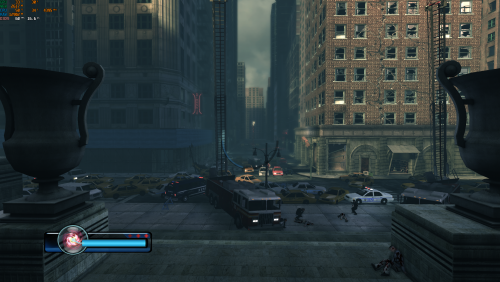

About This File
Legendary FPS PC Fix
This fix adds an FPS toggle system from 60fps to 30fps (to fix broken areas at high fps), Windowed modes (window will go to the resolution set in game)
Instructions
- Download the fix and place the contents d3d9.dll, d3d9.ini and [hotkey]keycodes.txt files into the Legendary main directory (where the exe is located).
- If using steam then go to the game in your library right click the game in the game list -> Manage -> Browse Local Files -> Binaries. That is where the Exe for the game is located.
- You can edit the settings you want in the d3d9.ini file. To edit the FPS hotkey you wish to use for the toggle find the keycode from inside the [hotkey]keycodes.txt file and then paste this into the d3d9.ini file for the hotkey option.
- FPS will start at 60 and you can toggle between that and 30 using the hotkey in the d3d9.ini that you specify default is F11.
- FPS can be set in d3d9.ini [DefaultFPS] this is the fps which the game will always start with and [HotkeyFPS] this is the fps which the game will go to on hotkey press.
- After toggling to HotkeyFPS you can toggle between that and DefaultFPS indefinitely using the chosen hotkey.
- Window mode can be toggled in d3d9.ini using the ForceWindowedMode entry, window will go to the size of the resolution in the game.
Vote to see the game return via GOG Dream list
If you are interested in potentially seeing this game easily available to purchase and use today then go and vote on the games GOG Dream list to help make this become a reality, you can vote for the game here and write a message about the game if you wish – https://www.gog.com/dreamlist/game/legendary-2008
Issues/Problems
If you have any issues, with the fixes then please go to discord for help linked below.
Credits
Base wrapper by Elisha Riedlinger & ThirteenAG
Additional game-specific patches, reverse engineering, enhancements, and configuration by Chip
Fix Enhancers
https://fixenhancers.wixsite.com/fix-enhancers
“Creating compatibility fixes and enhancements for legacy PC games.”
Chip – founder, reverse engineer, programmer, developer, game preservationist
JokerAlex21 – founder, admin, tester
What's New in Version 1.0.1
Released
The FPS system has been updated to now allow the user to edit and enter custom FPS in both Default FPS option and the Hotkey FPS option. This will allow a user to now set main FPS limit to for example 120 and then the Hotkey FPS to 30.


.thumb.png.573424dca099f94733865bd8286986b1.png)




Recommended Comments
There are no comments to display.
Join the conversation
You can post now and register later. If you have an account, sign in now to post with your account.