

About This File
Harry Potter and the Deathly Hallows Part 1 – PC Fix
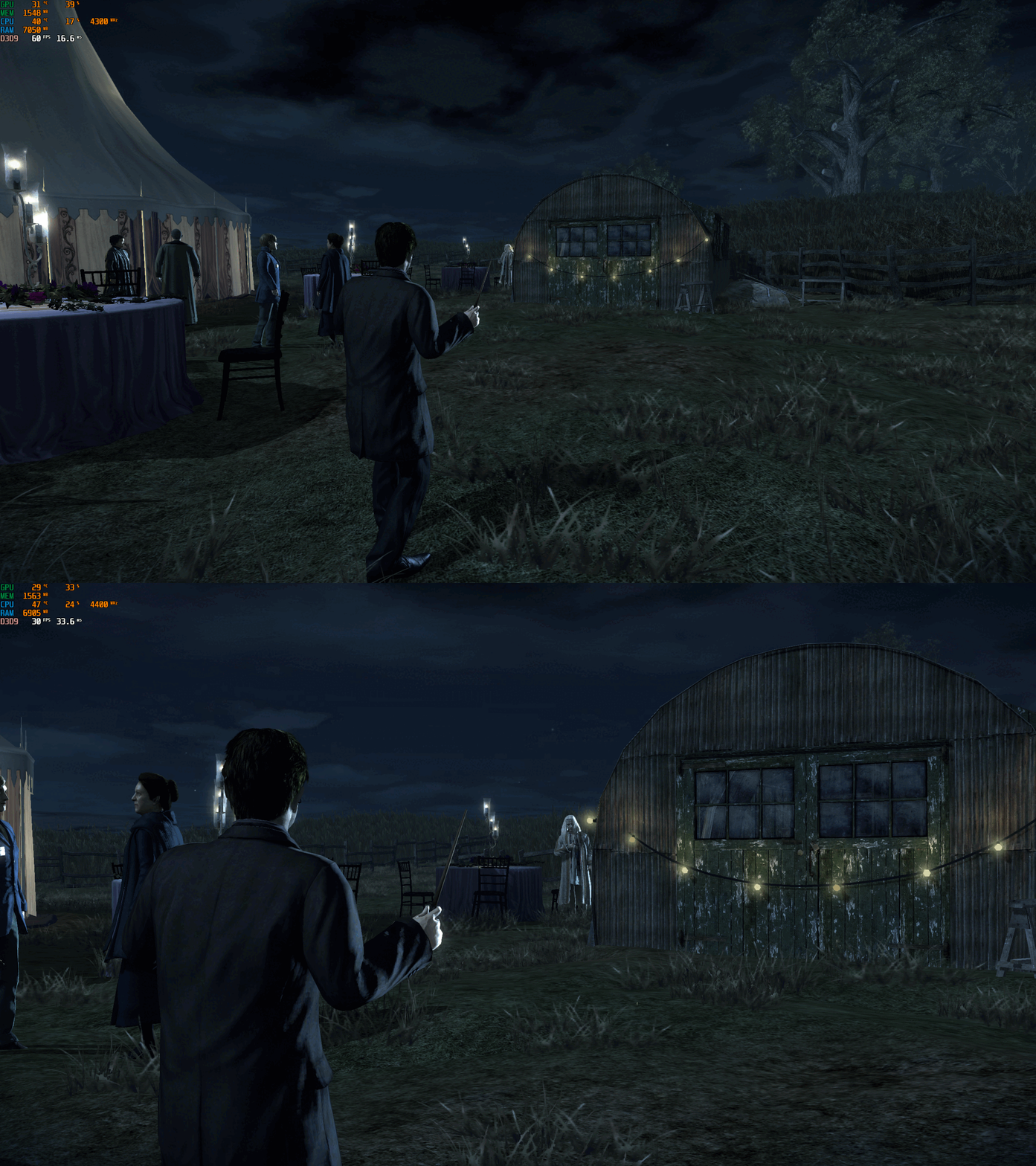
This fix adds modern PC features to Harry Potter and the Deathly Hallows Part 1, including higher aspect ratios, FPS unlocking with optional toggle hotkey, and selectable FOV options. It is based on Elisha Riedlinger’s Direct3D 9 wrapper and expanded with additional enhancements and patches by Chip.
Features included in this fix
- Correct aspect ratio options
- Optional zoomed-out FOV or original game FOV
- FPS unlocking with or without toggle
- Editable d3d9.ini configuration
How to use
Download the Harry Potter and the Deathly Hallows Part 1 fix.
Use one of the following fixes: hp7fix.zip, hp7fixNOTOGGLE.zip, hp7fixOriginalFOV.zip, or hp7fixOriginalFOVNOTOGGLE.zip.
Extract d3d9.dll and d3d9.ini into your game folder next to hp7.exe.
Edit d3d9.ini to set your preferred aspect ratio, FPS and FOV.
Aspect Ratio
The default Aspect Ratio value is 0, which corresponds to 16:9.
Choose another preset by replacing 0 with the number that matches your display.
FPS
The default FPS limit is 60. You can change this value or fully uncap it by setting it to 0.
hp7fixNOTOGGLE.zip runs at the FPS you set in the ini file. Menus will speed up, but cutscenes remain correctly timed.
hp7fix.zip allows toggling between your chosen FPS and the original 30 FPS using the “9” key (top row, not numpad). Press the key again if it does not toggle the first time. After the initial switch, it will alternate cleanly.
FOV
hp7fix.zip and hp7fixNOTOGGLE.zip include a zoomed-out FOV.
hp7fixOriginalFOV.zip and hp7fixOriginalFOVNOTOGGLE.zip use the original FOV values.
Choose the version that fits how you want to play the game.
Additional notes
The “9” key toggle helps bypass FPS-related menu issues.
Cutscenes are unaffected and play at correct speed.
All settings are controlled through d3d9.ini.
Official video guide
https://www.youtube.com/watch?v=B1HhMPvchx0
Issues/Problems
If you have any issues, with the fixes then please go to discord for help linked below.
Vote to see the game return via GOG Dream list
If you are interested in potentially seeing this game easily available to purchase and use today then go and vote on the games GOG Dream list to help make this become a reality, you can vote for the game here and write a message about the game if you wish – https://www.gog.com/dreamlist/game/harry-potter-and-the-deathly-hallows-part-1-2010
Credits
Base wrapper by Elisha Riedlinger & ThirteenAG.
Additional game-specific patches, reverse engineering, enhancements, and configuration by Chip.
Fix Enhancers
https://fixenhancers.wixsite.com/fix-enhancers
“Creating compatibility fixes and enhancements for legacy PC games.”
Chip – founder, reverse engineer, programmer, developer, game preservationist
JokerAlex21 – founder, admin, tester
.thumb.png.573424dca099f94733865bd8286986b1.png)


Recommended Comments
There are no comments to display.
Join the conversation
You can post now and register later. If you have an account, sign in now to post with your account.