

About This File
Star Wars: Episode I – Battle for Naboo – 64-bit Installer With Optional Modern Game Fixes
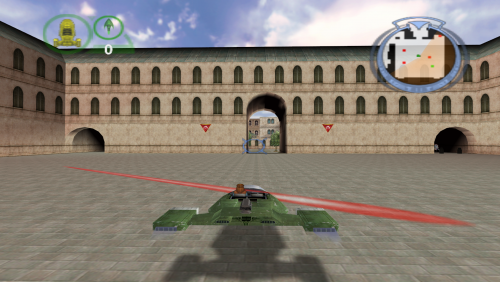
This is a complete, preservation-grade 64-bit replacement installer for the original 1999 PC release, rebuilt from scratch for modern versions of Windows. This is the definitive way to install and play Star Wars: Episode I – Battle for Naboo on modern hardware, with full widescreen support, DX9 translation, stability fixes (all optional), and resolution unlocking.
The original retail PC release uses a 16-bit Windows installer, which will not run on any 64-bit version of Windows. This makes the game effectively un-installable on modern systems. To preserve the game, the installer was fully rebuilt into a native 64-bit modern version that works on all current Windows versions, requires the original retail disc, recreates the full install logic, and optionally applies modern fixes and enhancements.
Features included in this fix
- Full 64-bit replacement installer
- Requires the original retail disc
- Recreates full install logic
- Widescreen and modern resolution unlock
- DX7 to DX9 translation
- Thruster fix for >60Hz
- ASI Loader support
- Folder permission repair
- ChipResolution custom resolution support
How to use
Download Fix.
Mount your original game disc.
Launch the installer and browse to the root of the disc (e.g. D:).
Follow the on-screen prompts.
A desktop shortcut will be created automatically.
Requirements
You must own the original English retail PC CD.
No game files are distributed.
Mount the disc before running the installer.
Common mount locations:
D:\
E:\
F:\
Modern Fix Pack (Optional)
In the installer you can uncheck the option for the fixes and install only the base game.
ElishaCloud’s DXWrapper (D3D7 → D3D9)
Adds anti-aliasing, anisotropic filtering, DX7 to DX9 translation, optional window mode through dxwrapper.ini, and a fix for the thruster bug.
ThirteenAG’s Ultimate ASI Loader
Automatically loads all included .asi plugins.
UCyborg’s Legacy D3D Resolution Hack
Unlocks modern GPU resolutions including 1080p, 1440p, ultrawide, and full 4K.
Full Folder Permission Repair
Automatically removes read-only attributes, fixes NTFS permissions, allows editing INI files, and prevents write errors.
ChipResolution – Custom Resolution Support
Allows entering resolutions directly, such as:
1920x1080
Suggestion
It seems that the game does not like to go past 1920 x 1080 so just leave the configuration files as they are set up for you. If you change any settings it is done so at your own risk.
Controller Support
Works automatically with no additional configuration needed. The game includes native controller functionality. Rebind controls inside the game’s options menu.
Issues/Problems
If you have any issues with the fixes then please go to the Discord for help:
https://discord.gg/eVJ7sQH7Cc
Vote to see the game return via GOG Dream list
If you are interested in potentially seeing this game easily available to purchase and use today then go and vote on the games GOG Dream list to help make this become a reality, you can vote for the game here and write a message about the game if you wish –
https://www.gog.com/dreamlist/game/star-wars-episode-i-battle-for-naboo
Credits
Elisha Riedlinger — DXWrapper
UCyborg — Legacy D3D Resolution Hack
ThirteenAG — Ultimate ASI Loader
Chip — Creating 64 bit installer, reverse engineering 16 bit installer, registry patching, modern fix integration, resolution override tool
Fix Enhancers
https://fixenhancers.wixsite.com/fix-enhancers
“Creating compatibility fixes and enhancements for legacy PC games.”
Chip – founder, reverse engineer, programmer, developer, Game Preservationist
JokerAlex21 – founder, admin, tester


.thumb.png.573424dca099f94733865bd8286986b1.png)


Recommended Comments
There are no comments to display.
Join the conversation
You can post now and register later. If you have an account, sign in now to post with your account.