
Search the Community
Showing results for tags 'Sonic'.
Found 17 results
-
-
-
-
Version 1.1.6
995 downloads
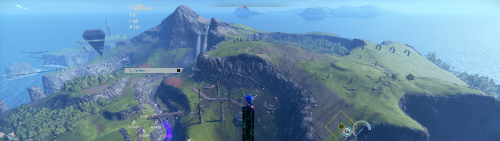
Disclaimer This software is a modification for the game Sonic Frontiers and is not affiliated with or endorsed by the Game developers or publishers. Description: Adds support for all ultra-wide resolutions HUD, FMV's are scaled to 16/9 pillarbox -> no stretching Corrections: Aspect ratio for cutscenes Target system matrix Camera sway for triple monitor, where sonic would be too far left or right in 2d sections Overlays Vignette is expanded to the ar -> no longer visible Jukebox Tested with the following aspect ratios: 16:10 21:9 32:9 48:9 How to install Windows: Extract the zip file to the game's installation directory. Start the game. Steam Deck/Linux: Extract the zip file to the game's installation directory. Open the game properties in Steam (Right-click game -> Properties). Under General -> Launch Options, paste exactly this command: WINEDLLOVERRIDES="winmm=n,b" %command% Start the game. Additionally: If you are downloading this mod for the first time, an Ultrawideconfig.ini with your system specs will be automatically created upon launch. Check the .ini file to ensure width and height match your resolution. You can also change FPS or 16:10 HUD scaling here. Don't forget to save. Check in-game that your resolution is correct. You can adjust the FOV in-game. It's called Camera Angle and Distance. Note: If you have used other mods before, make sure they don't conflict (e.g., mods changing aspect ratio or vignettes). If something isn't working, feel free to leave a comment here or in the WSGF Discord. Overlay & Configuration You can use the mods overlay to fine-tune the camera for 2D sections and rain effects. Toggle overlay with F9 Mouse wheel can be used for fine-tuning values. Once satisfied, click "Save Config". Settings are applied automatically on the next startup. Gamepad controls are passed through to the game even while the overlay is open. Note: The overlay is only compatible with Borderless or Windowed mode. How to uninstall Delete the mod files from the game directory. Support my work Developing complex logic and maintaining updates takes a lot of time and coffee. If this mod improved your game experience, consider buying me a coffee! It helps me keep going and working on fixes for future games. Paypal Ko-fi Credits ThirteenAG - Ultimate-ASI-Loader -

Version 1.0.1
111 downloads
Disclaimer This software is a modification for the game Sonic Colors: Ultimate and is not affiliated with or endorsed by the Game developers or publishers. Description: Adds ultrawide support and fixes issues caused by extended aspect ratios. Additionally, stuttering is reduced, but it cannot be completely eliminated. Fixes: Aspect Ratio Performance (Reduces Stuttering) HUD + Fmv's are scaled to centered 16:9 Tested with the following aspect ratios: 16:10 21:9 32:9 48:9 How to install Extract the ZIP file to the game's installation directory where the game's .exe is located. Open the Ultrawideconfig.ini and write your resolution in width and height, then click save. Additionally, further settings like FPS can be made in the ini. Make sure you have enabled the shader cache in your graphics driver settings. For Steam Deck/Linux you need to add WINEDLLOVERRIDES="winmm=n,b" %command% to the Steam launch options for the game. If something isn't working, feel free to leave a comment here or in the WSGF Discord. How to uninstall Delete all files from the directory. If you enjoy my work and want to support future improvements or new projects, you can do so here: Paypal Ko-fi Even small contributions mean a lot, thank you! Credits ThirteenAG - Ultimate-ASI-Loader -
Version 1.0.5
2,170 downloads
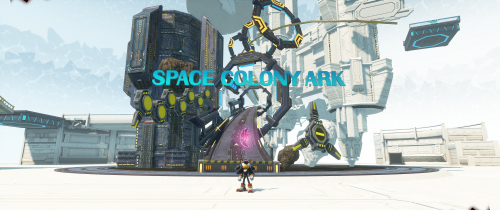
Disclaimer This software is a modification for the game Sonic X Shadow Generations and is not affiliated with or endorsed by the Game developers or publishers. Description: Adds support for all ultra-wide resolutions HUD, FMV's are scaled to 16/9 pillarbox -> no stretching Corrections: Classic Generations: removing black bars hud scaling + centering removing the unnecessary text and overlay at level start fmvs Shadow: scaling for hud + overlays + fmvs + cutscenes expanding the vignettes like chaos control scaling error of Shadow when selecting act targeting system Correctly positioning the camera for triple monitor setup in 2D section Tested with the following aspect ratios: 16:10 21:9 32:9 48:9 How to install This ASI file works with both games by their original executable file name. Make sure it's present in the original: SONIC_GENERATIONS.exe SONIC_X_SHADOW_GENERATIONS.exe Extract the zip file to the game's installation directory. If you download this mod first time a Ultrawideconfig.ini with your specs will be created. Make sure that your width and height in the ini file is right. There is also a option for 16:10 Hud Scaling. Don't forget to save. If you've used other mods before, make sure they don't conflict or have something to do with aspect ratio or vignette. Check in-game that your resolution is correct. You can use the overlay to fine-tune the camera for the 2D sections and the rain in Shadow Gens. The mouse wheel can also be used for fine-tuning. Once you're satisfied with your configuration, you can save it. The saved settings will then be applied directly every time you start the game. Gamepad controls will still be passed through to the game. Only compatible with borderless and window mode. Toggle the overlay with "F9". The UI Fix will not be fully active at the start of a new game in Classic, during the first level with Classic Sonic (before the first FMV), because the values only become available afterwards. For Steam Deck/Linux you need to add WINEDLLOVERRIDES="winmm=n,b" %command% to the Steam launch options for the game. If something isn't working, feel free to leave a comment here or in the WSGF Discord. How to uninstall Delete all files from the directory. If you enjoy my work and want to support future improvements or new projects, you can do so here: Paypal Ko-fi Even small contributions mean a lot, thank you! Credits ThirteenAG - Ultimate-ASI-Loader -
Version 1.00
7,083 downloads
Somehow some of the voice clips for Amy and Cream are empty, but it's about time they come back with this replacement file. The voices from other game systems were ripped, re-enconded with CRI Middleware Tools and placed onto the file "SH_VOICE_EN.afs" in the PC version of the game. To get those voices back, replace the existing voice afs file with this one into dvdroot\bgm. -

627 downloads
This file is a compatibility fix for Sonic's Schoolhouse. It is a Windows Application Compatibility Database (.sdb) that applies the "CorrectSoundDeviceId" shim to the game executable (SONIC.EXE), eliminating the "Unable to initialize sound system" error that appears on startup. To use this file, follow these instructions on PCGamingWiki for Compatibility Administrator. -

Version 1.0
123 downloads
This is the demo for Sonic Riders. Source: FilePlanet (archived) -
-
-
-
-
Version 1.00
8,322 downloads
The FMV were ripped from the Xbox disc and renamed to the names usable by the PC version of Sonic Heroes. They're originally encoded this way to provide higher quality playback, but they were compressed for more space. Here are the steps to use Xbox quality FMVs instead of GameCube quality FMVs: Extract the files from this archive Copy them from the folder and replace the .sfd files with these ones in the directory "/dvdroot/movie". -

Version 1.0.0
8,233 downloads
Unofficial Settings configuration tool for Sonic Heroes. It's faster than the default launcher and comes with options for 720p, 1080p and 4K, in 16:9 widescreen, and comes with Xinput support pre-configured.- 1 comment
-
- 1
-

-
- sonic
- sonic the hedgehog
- (and 1 more)
-
Version 1.00
1,856 downloads
Replaces the game's English voice track with the Japanese one. Simply place the folder into the root folder of the game and replace all the files if prompted. Because the PC version does not have a dedicated voice selection option, it is strongly recommended that you back up the files this mod replaces in case you want the English voice track back. -
Version 1.0
3,140 downloads
Other systems have the blue crescent texture in place, but the PC version does not. This re-adds the blue crescent texture that was either forgotten to be added or was removed for the particle effect that is emitted when Espio's shuriken disappears on the PC version of the game. To apply it, place cmn_effect.txd in the textures folder in the "dvdroot" folder.


