Search the Community
Showing results for tags 'Enhancements'.
Found 17 results
-
Version 1.0.1
322 downloads
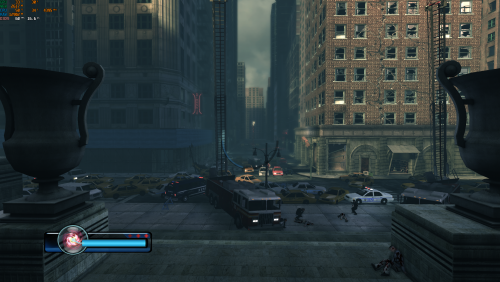
Legendary FPS PC Fix This fix adds an FPS toggle system from 60fps to 30fps (to fix broken areas at high fps), Windowed modes (window will go to the resolution set in game) Instructions Download the fix and place the contents d3d9.dll, d3d9.ini and [hotkey]keycodes.txt files into the Legendary main directory (where the exe is located). If using steam then go to the game in your library right click the game in the game list -> Manage -> Browse Local Files -> Binaries. That is where the Exe for the game is located. You can edit the settings you want in the d3d9.ini file. To edit the FPS hotkey you wish to use for the toggle find the keycode from inside the [hotkey]keycodes.txt file and then paste this into the d3d9.ini file for the hotkey option. FPS will start at 60 and you can toggle between that and 30 using the hotkey in the d3d9.ini that you specify default is F11. FPS can be set in d3d9.ini [DefaultFPS] this is the fps which the game will always start with and [HotkeyFPS] this is the fps which the game will go to on hotkey press. After toggling to HotkeyFPS you can toggle between that and DefaultFPS indefinitely using the chosen hotkey. Window mode can be toggled in d3d9.ini using the ForceWindowedMode entry, window will go to the size of the resolution in the game. Vote to see the game return via GOG Dream list If you are interested in potentially seeing this game easily available to purchase and use today then go and vote on the games GOG Dream list to help make this become a reality, you can vote for the game here and write a message about the game if you wish – https://www.gog.com/dreamlist/game/legendary-2008 Issues/Problems If you have any issues, with the fixes then please go to discord for help linked below. https://discord.gg/eVJ7sQH7Cc Credits Base wrapper by Elisha Riedlinger & ThirteenAG Additional game-specific patches, reverse engineering, enhancements, and configuration by Chip Fix Enhancers https://fixenhancers.wixsite.com/fix-enhancers “Creating compatibility fixes and enhancements for legacy PC games.” Chip – founder, reverse engineer, programmer, developer, game preservationist JokerAlex21 – founder, admin, tester -

Version 1.0.0
814 downloads
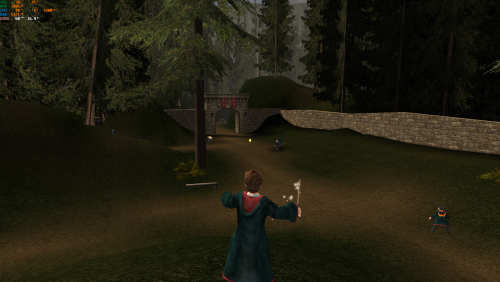
Harry Potter and the Prisoner of Azkaban – PC FPS Fix with Custom Controller Support This fix adds a stable 60 FPS or 120 FPS cap to Harry Potter and the Prisoner of Azkaban using the game’s internal logic. Running the game uncapped causes major timing issues such as the frozen Imp glitch. This release also includes full custom X-Input controller support using Chip’s X-Input backend, allowing the entire game to be played with a modern controller. Features included in this fix 60 FPS or 120 FPS launchers Prevents high-FPS game bugs (including the frozen Imp glitch) Full X-Input controller support Analogue walking and running Fully editable control layout through d3d8.ini Standalone launchers; no game files are overwritten How to use (FPS launchers) Download the fix and extract the folder then go into HP3-FPS-Cap-Game-Launchers. Choose either HP3-60FPSLauncher.exe or HP3-120FPSLauncher.exe. Extract the launcher you want into the game’s system folder next to hppoa.exe. Run the chosen launcher one time. If the launcher does not start the game, try running it as administrator. You can then continue to play the game normally using hppoa.exe. How to use (Custom controller support) Download the fix and extract the folder then go into HP3-Custom-Controller. The controller layout is provided by default as in the images above. Extract d3d8.dll and d3d8.ini into the game’s install folder, usually: C:\Program Files (x86)\EA Games\Harry Potter and the Prisoner of Azkaban(TM)\system The game must load through hppoa.exe in this folder. Walking and running are analogue using the left stick. All controls can be customised inside d3d8.ini, with clear explanations in the file. If you experience double input Go to: C:\Users\YOUR_NAME\Documents\Harry Potter and the Prisoner of Azkaban Open hppoa.ini Set UseJoystick=True to UseJoystick=False This disables the game’s built-in controller detection to prevent conflicts with X-Input. Vote to see the game return via GOG Dream list If you are interested in potentially seeing this game easily available to purchase and use today then go and vote on the games GOG Dream list to help make this become a reality, you can vote for the game here and write a message about the game if you wish – https://www.gog.com/dreamlist/game/harry-potter-and-the-prisoner-of-azkaban-2004 Issues/Problems If you have any issues with the fixes then please go to the Discord for help: https://discord.gg/eVJ7sQH7Cc Credits Base wrapper by Elisha Riedlinger & ThirteenAG. Additional game-specific patches, controller support, reverse engineering, enhancements, and configuration by Chip. Fix Enhancers https://fixenhancers.wixsite.com/fix-enhancers “Creating compatibility fixes and enhancements for legacy PC games.” Chip – founder, reverse engineer, programmer, developer, game preservationist JokerAlex21 – founder, admin, tester -
Version 1.0.0
127 downloads
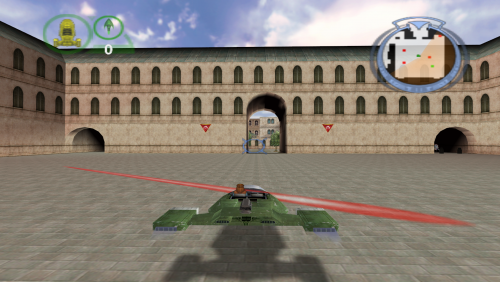
Star Wars: Episode I – Battle for Naboo – 64-bit Installer With Optional Modern Game Fixes This is a complete, preservation-grade 64-bit replacement installer for the original 1999 PC release, rebuilt from scratch for modern versions of Windows. This is the definitive way to install and play Star Wars: Episode I – Battle for Naboo on modern hardware, with full widescreen support, DX9 translation, stability fixes (all optional), and resolution unlocking. The original retail PC release uses a 16-bit Windows installer, which will not run on any 64-bit version of Windows. This makes the game effectively un-installable on modern systems. To preserve the game, the installer was fully rebuilt into a native 64-bit modern version that works on all current Windows versions, requires the original retail disc, recreates the full install logic, and optionally applies modern fixes and enhancements. Features included in this fix Full 64-bit replacement installer Requires the original retail disc Recreates full install logic Widescreen and modern resolution unlock DX7 to DX9 translation Thruster fix for >60Hz ASI Loader support Folder permission repair ChipResolution custom resolution support How to use Download Fix. Mount your original game disc. Launch the installer and browse to the root of the disc (e.g. D:). Follow the on-screen prompts. A desktop shortcut will be created automatically. Requirements You must own the original English retail PC CD. No game files are distributed. Mount the disc before running the installer. Common mount locations: D:\ E:\ F:\ Modern Fix Pack (Optional) In the installer you can uncheck the option for the fixes and install only the base game. ElishaCloud’s DXWrapper (D3D7 → D3D9) Adds anti-aliasing, anisotropic filtering, DX7 to DX9 translation, optional window mode through dxwrapper.ini, and a fix for the thruster bug. ThirteenAG’s Ultimate ASI Loader Automatically loads all included .asi plugins. UCyborg’s Legacy D3D Resolution Hack Unlocks modern GPU resolutions including 1080p, 1440p, ultrawide, and full 4K. Full Folder Permission Repair Automatically removes read-only attributes, fixes NTFS permissions, allows editing INI files, and prevents write errors. ChipResolution – Custom Resolution Support Allows entering resolutions directly, such as: 1920x1080 Suggestion It seems that the game does not like to go past 1920 x 1080 so just leave the configuration files as they are set up for you. If you change any settings it is done so at your own risk. Controller Support Works automatically with no additional configuration needed. The game includes native controller functionality. Rebind controls inside the game’s options menu. Issues/Problems If you have any issues with the fixes then please go to the Discord for help: https://discord.gg/eVJ7sQH7Cc Vote to see the game return via GOG Dream list If you are interested in potentially seeing this game easily available to purchase and use today then go and vote on the games GOG Dream list to help make this become a reality, you can vote for the game here and write a message about the game if you wish – https://www.gog.com/dreamlist/game/star-wars-episode-i-battle-for-naboo Credits Elisha Riedlinger — DXWrapper UCyborg — Legacy D3D Resolution Hack ThirteenAG — Ultimate ASI Loader Chip — Creating 64 bit installer, reverse engineering 16 bit installer, registry patching, modern fix integration, resolution override tool Fix Enhancers https://fixenhancers.wixsite.com/fix-enhancers “Creating compatibility fixes and enhancements for legacy PC games.” Chip – founder, reverse engineer, programmer, developer, Game Preservationist JokerAlex21 – founder, admin, tester -
Version 1.0.0
751 downloads
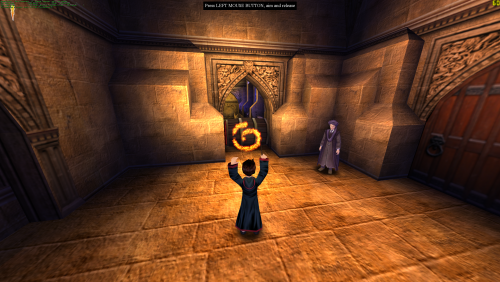
Harry Potter and the Philosopher’s Stone / Sorcerer’s Stone – PC FPS Fix This fix applies a stable 60 FPS cap to Harry Potter and the Philosopher’s Stone / Sorcerer’s Stone using the game’s internal timing logic. The engine does not have a proper way to limit framerate, and running uncapped can break physics, animations, and scripted events. This launcher forces a safe, stable framerate so the game behaves correctly. Features included in this fix Stable 60 FPS cap using internal engine logic Standalone launcher; no game files are modified Prevents high-FPS bugs, physics issues, and animation timing errors How to use Download the fix. Extract hp1-60FPSLauncher.exe into the game’s “system” folder next to hp.exe. Launch the game using hp1-60FPSLauncher.exe instead of hp.exe one time. You can now proceed to play the game normally using the games original hp.exe. Additional notes Running the game above 60 FPS causes timing issues; the launcher prevents this by using the games internal FPS logic and capping it. Issues/Problems If you have any issues, with the fixes then please go to discord for help linked below. https://discord.gg/eVJ7sQH7Cc Vote to see the game return via GOG Dream list If you are interested in potentially seeing this game easily available to purchase and use today then go and vote on the games GOG Dream list to help make this become a reality, you can vote for the game here and write a message about the game if you wish – https://www.gog.com/dreamlist/game/harry-potter-and-the-sorcerer-s-stone Credits Chip for creating the patcher program. Fix Enhancers https://fixenhancers.wixsite.com/fix-enhancers “Creating compatibility fixes and enhancements for legacy PC games.” Chip – founder, reverse engineer, programmer, developer, game preservationist JokerAlex21 – founder, admin, tester -
Version 1.0.0
1,173 downloads
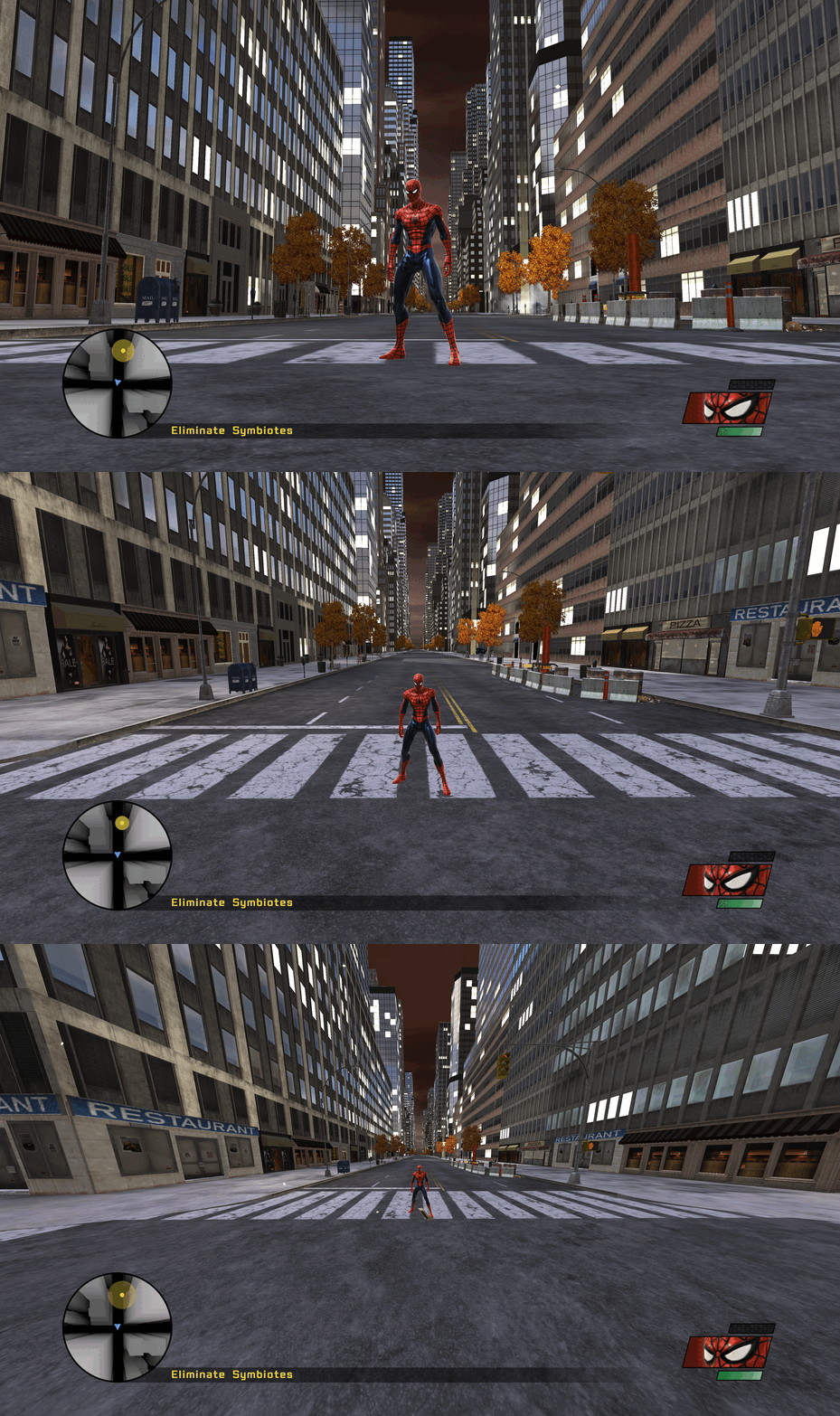
Spider-Man Web of Shadows – PC Fix Requirements before using this fix For this fix to work properly you must be on the 1.1 release of the game. You can update your version of the game with the Official update for this game here - https://www.moddb.com/games/spider-man-web-of-shadows/downloads/spider-man-web-of-shadows-v11-patch1 You should also do the following to help make the game run more smoothly on your PC. You will need to go to - C:\Users\YourUserName\AppData\Local\Activision\Spider-Man Web of Shadows and open Config.xml in notepad. Then add these lines at the bottom of the file and save it: <s id="Windowed">0</s> <s id="MaxCpuCount">4</s> <s id="VideoHz">60</s> </r> This fix adds QOL improvements to Spider-Man Web of Shadows, this includes a toggle FPS system from 60fps down to 30fps and a toggle FOV system which allows up to 4 different fovs to choose from, with each one being more zoomed out. It is based on Elisha Riedlinger’s Direct3D 9 wrapper and expanded with additional enhancements and patches by Chip. Features included in this fix Toggle FPS system from 60 to 30fps Toggle FOV system Editable d3d9.ini configuration How to use Download the Spider-Man Web of Shadows PC Fix. Extract the contents d3d9.dll, d3d9.ini and [hotkey]keycodes.txt files into the installation folder next to Spider-Man Web of Shadows.exe. You can edit the settings you want in the d3d9.ini file. To edit the FPS/FOV hotkey you wish to use for the toggles find the keycodes from inside the [hotkey]keycodes.txt file and then paste this into the corresponding areas inside of the d3d9.ini file for the hotkey options. Issues/Problems If you have any issues, with the fixes then please go to discord for help linked below. https://discord.gg/eVJ7sQH7Cc Vote to see the game return via GOG Dream list If you are interested in potentially seeing this game easily available to purchase and use today then go and vote on the games GOG Dream list to help make this become a reality, you can vote for the game here and write a message about the game if you wish – https://www.gog.com/dreamlist/game/spider-man-web-of-shadows-2008 Credits Base wrapper by Elisha Riedlinger & ThirteenAG. Additional game-specific patches, reverse engineering, enhancements, and configuration by Chip. Fix Enhancers https://fixenhancers.wixsite.com/fix-enhancers “Creating compatibility fixes and enhancements for legacy PC games.” Chip – founder, reverse engineer, programmer, developer, game preservationist JokerAlex21 – founder, admin, tester -
Version 1.0.0
277 downloads
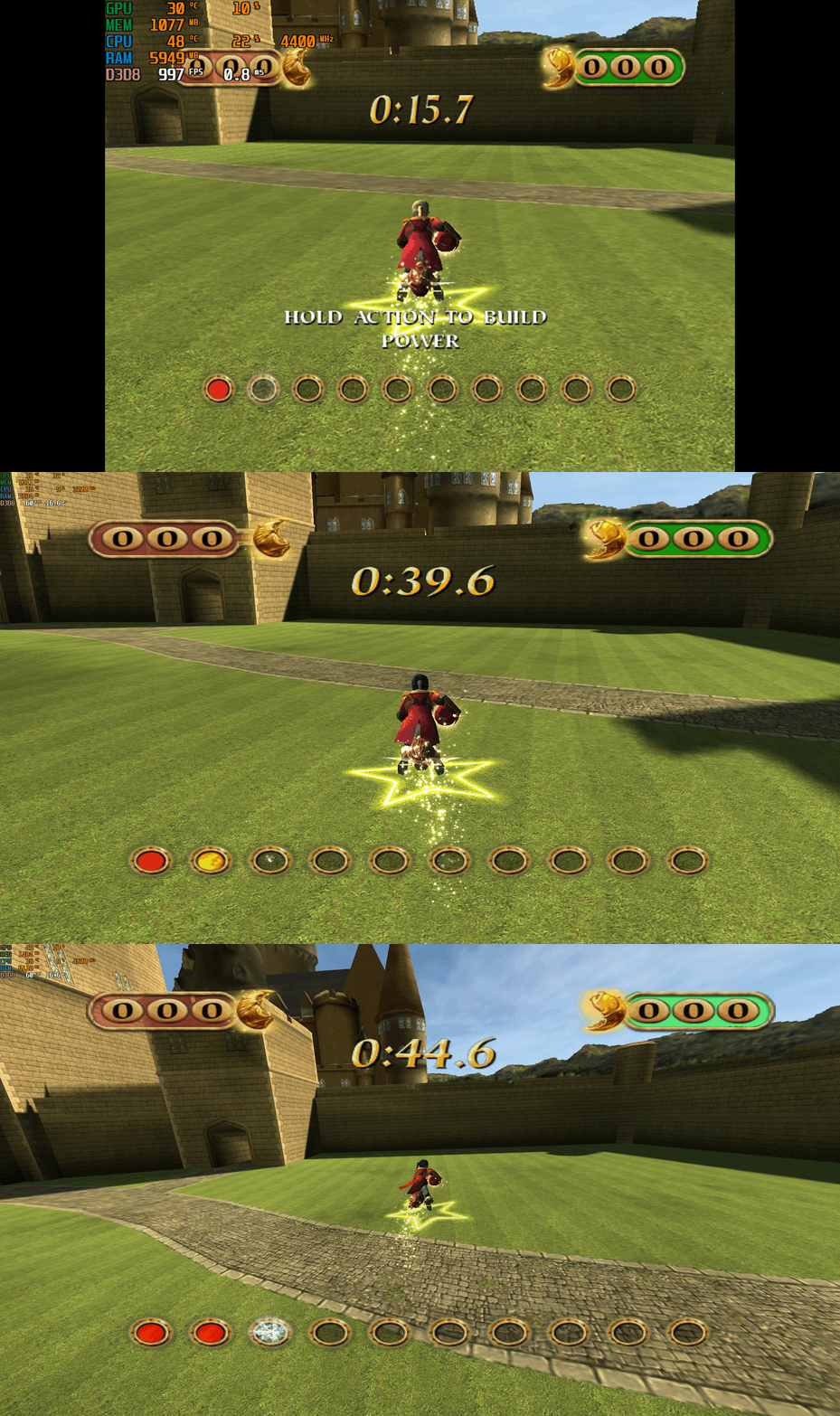
Harry Potter: Quidditch World Cup – PC Fix This fix adds modern PC features to Harry Potter: Quidditch World Cup, including widescreen resolution support, higher aspect ratios, higher framerates, adjustable FOV, and compatibility with the Spectral Platypus developer console mod. It is based on Elisha Riedlinger’s Direct3D 8 wrapper and expanded with additional enhancements and patches by Chip. Features included in this fix Widescreen and ultrawide resolution support Correct aspect ratio options Adjustable FOV values FPS unlocking Compatibility with the Spectral Platypus developer console mod Editable d3d8.ini configuration Developer console compatibility This fix is fully compatible with the developer console mod by Spectral Platypus. Download the console mod from: https://github.com/SpectralPlatypus/QWC-Console/releases/tag/v1.2 Place d3d8.dll and imgui.ini from the mod into the game folder next to QWC.exe. Then download hpqwcfix-consolemodcompatable.zip from Harry Potter Quidditch World Cup fix and extract its contents into the same folder. This allows you to use both the developer console and the Harry Potter Quidditch World Cup fix patch simultaneously. Instructions for using the developer console are available on the mod’s GitHub page. How to use Download the Harry Potter: Quidditch World Cup fix. Extract d3d8.dll and d3d8.ini into your game folder next to QWC.exe. Edit d3d8.ini to configure resolution, aspect ratio, FPS and FOV. Resolution and Aspect Ratio The default Resolution is set to 1920x1080. Change the Width and Height fields to your preferred resolution. The default Aspect Ratio value is 1 (16:9). Choose a different preset by selecting the number matching your display. FPS The default FPS limit is 60. You may change this value or uncap it completely with 0 using the FPSLimit option in d3d8.ini. FOV The default FOV value is 0, which corresponds to the game’s original FOV of around 114. Increase the FOV value to zoom out the camera further. Additional notes This game benefits greatly from higher aspect ratios and modern resolution support. All configuration is handled through d3d8.ini. Official video guide https://www.youtube.com/watch?v=0yXGO3415-o Issues/Problems If you have any issues, with the fixes then please go to discord for help linked below. https://discord.gg/eVJ7sQH7Cc Vote to see the game return via GOG Dream list If you are interested in potentially seeing this game easily available to purchase and use today then go and vote on the games GOG Dream list to help make this become a reality, you can vote for the game here and write a message about the game if you wish – https://www.gog.com/dreamlist/game/harry-potter-quidditch-world-cup-2003 Credits Base wrapper by Elisha Riedlinger & ThirteenAG. Additional game-specific patches, reverse engineering, enhancements, and configuration by Chip. Fix Enhancers https://fixenhancers.wixsite.com/fix-enhancers “Creating compatibility fixes and enhancements for legacy PC games.” Chip – founder, reverse engineer, programmer, developer, game preservationist JokerAlex21 – founder, admin, tester -
Version 1.0.0
483 downloads
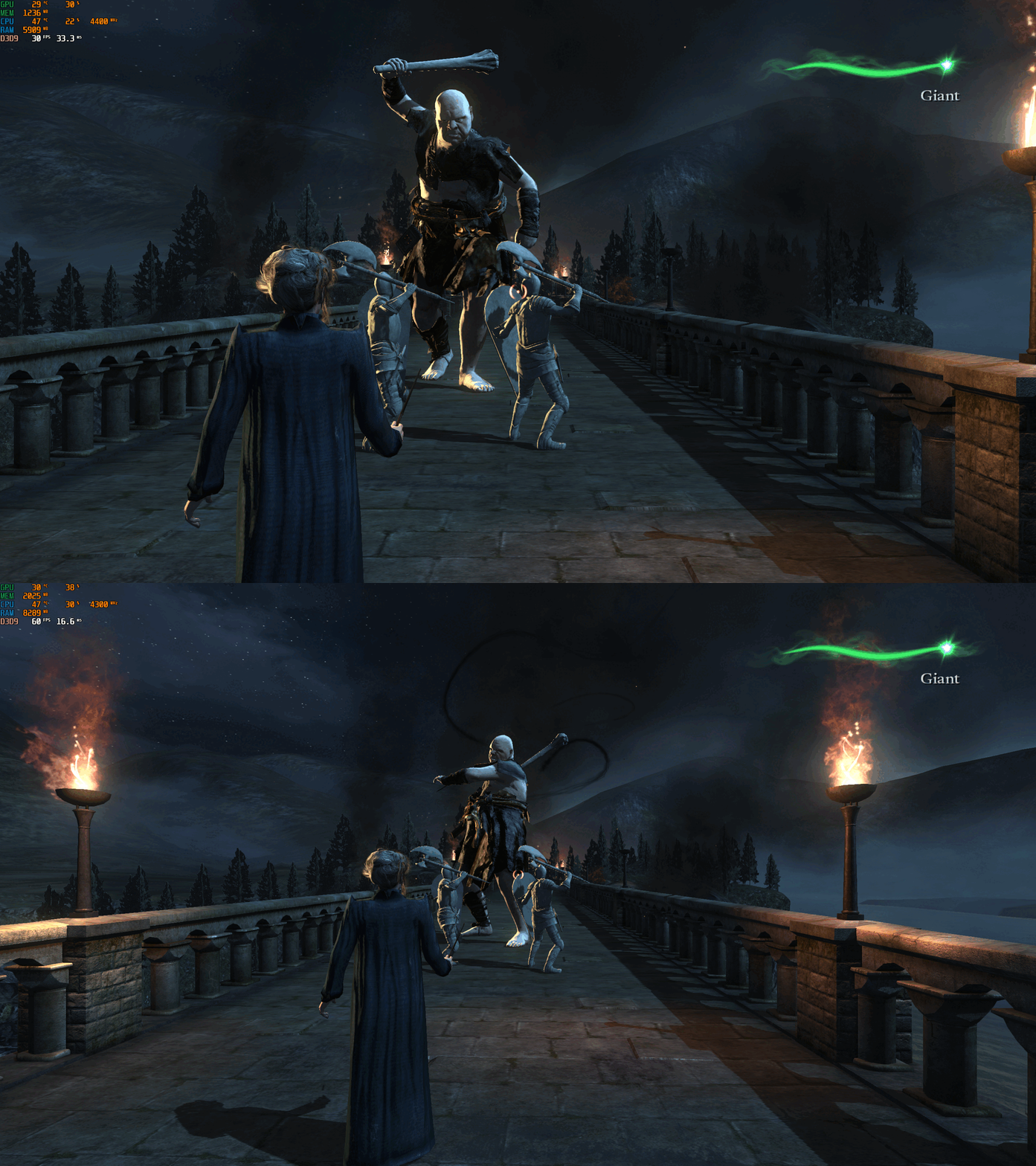
Harry Potter and the Deathly Hallows Part 2 – PC Fix This fix adds modern PC features to Harry Potter and the Deathly Hallows Part 2, including higher aspect ratio support (exclusive to EA App version), adjustable FOV, and stable 60 FPS cap. It is based on Elisha Riedlinger’s Direct3D 9 wrapper and expanded with additional enhancements and patches by Chip. Features included in this fix Higher aspect ratio options (hp8fix version only/EA App) Adjustable FOV Stable 60 FPS gameplay Editable d3d9.ini configuration Support for EA App and non-EA App versions How to use Download the Harry Potter and the Deathly Hallows Part 2 fix. If using hp8fix.zip, extract d3d9.dll and d3d9.ini into the game folder next to hp8.exe. If using hp8NonEAAPPversion.zip, extract d3d9.dll, d3d9.ini, and fps.dll into the same folder. Edit d3d9.ini to set your preferred aspect ratio, FPS limit, FOV, and other options. Important installation notes This game may not behave correctly unless installed to its default location on the C drive. If issues occur, right-click the game folder, disable “Read-only”, then check all permissions in the Security tab. Aspect ratio Aspect ratio settings are available only in hp8fix.zip. The default Aspect Ratio value is 0 (16:9). Change this number to one of the available presets to match your display’s aspect ratio. FPS The default FPS limit is 60. You may lower this value or uncap it with 0, but the game breaks if run above 60 FPS. The engine’s maximum safe framerate is 60; exceeding this causes major gameplay issues. FOV The default FOV option is set to 1 (on). You can disable the FOV enhancement by changing this value to 0 in d3d9.ini. Additional notes The Non EA App version of the game requires the hp8NonEAAPPversion.zip fix. Make sure the game files have full write permissions, or the fix may not load correctly. Official video guide https://www.youtube.com/watch?v=FSrXKPkEST0 Issues/Problems If you have any issues, with the fixes then please go to discord for help linked below. https://discord.gg/eVJ7sQH7Cc Vote to see the game return via GOG Dream list If you are interested in potentially seeing this game easily available to purchase and use today then go and vote on the games GOG Dream list to help make this become a reality, you can vote for the game here and write a message about the game if you wish – https://www.gog.com/dreamlist/game/harry-potter-and-the-deathly-hallows-part-2-2011 Credits Base wrapper by Elisha Riedlinger & ThirteenAG. Additional game-specific patches, reverse engineering, enhancements, and configuration by Chip. Fix Enhancers https://fixenhancers.wixsite.com/fix-enhancers “Creating compatibility fixes and enhancements for legacy PC games.” Chip – founder, reverse engineer, programmer, developer, game preservationist JokerAlex21 – founder, admin, tester -
Version 1.0.0
663 downloads
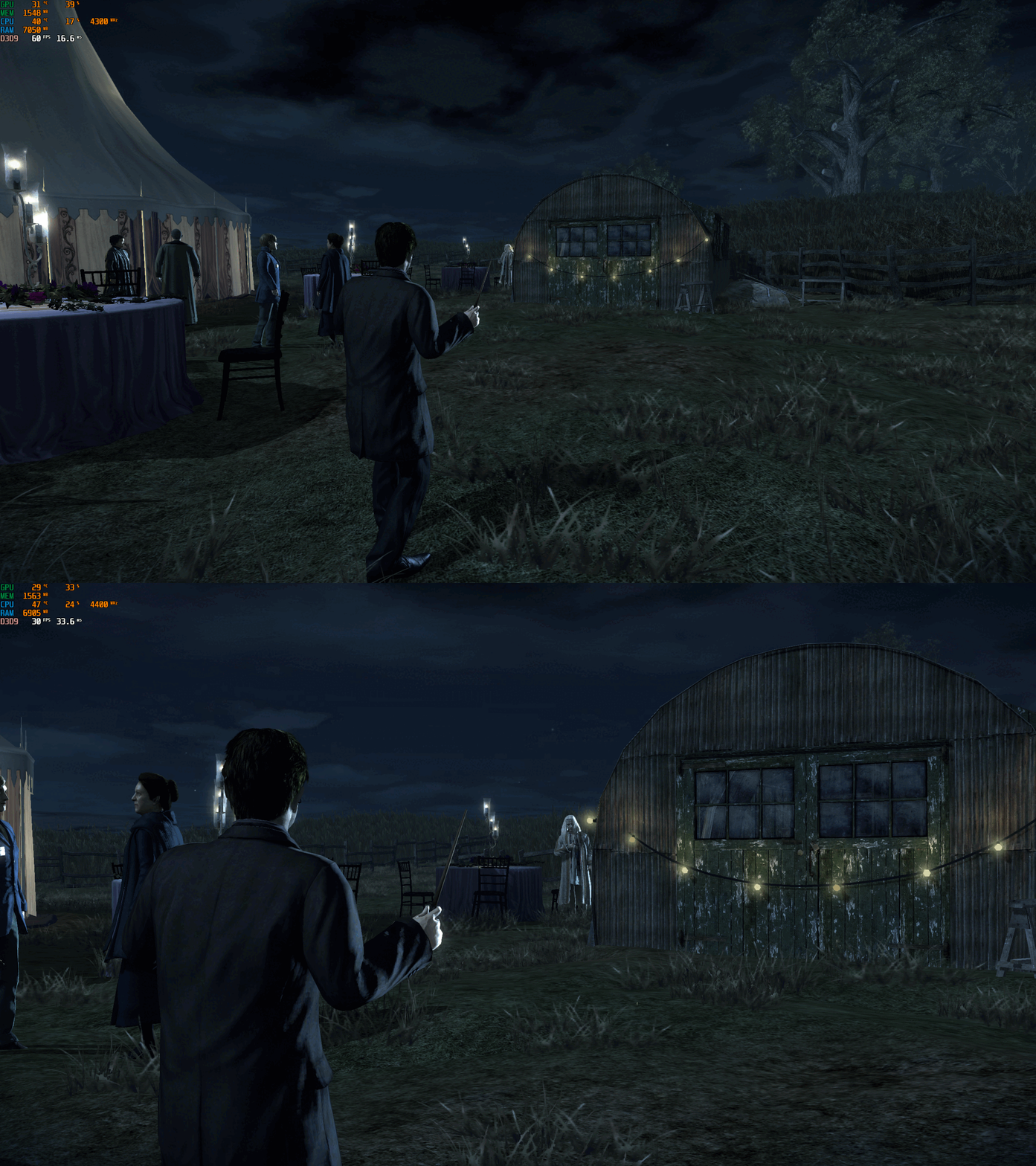
Harry Potter and the Deathly Hallows Part 1 – PC Fix This fix adds modern PC features to Harry Potter and the Deathly Hallows Part 1, including higher aspect ratios, FPS unlocking with optional toggle hotkey, and selectable FOV options. It is based on Elisha Riedlinger’s Direct3D 9 wrapper and expanded with additional enhancements and patches by Chip. Features included in this fix Correct aspect ratio options Optional zoomed-out FOV or original game FOV FPS unlocking with or without toggle Editable d3d9.ini configuration How to use Download the Harry Potter and the Deathly Hallows Part 1 fix. Use one of the following fixes: hp7fix.zip, hp7fixNOTOGGLE.zip, hp7fixOriginalFOV.zip, or hp7fixOriginalFOVNOTOGGLE.zip. Extract d3d9.dll and d3d9.ini into your game folder next to hp7.exe. Edit d3d9.ini to set your preferred aspect ratio, FPS and FOV. Aspect Ratio The default Aspect Ratio value is 0, which corresponds to 16:9. Choose another preset by replacing 0 with the number that matches your display. FPS The default FPS limit is 60. You can change this value or fully uncap it by setting it to 0. hp7fixNOTOGGLE.zip runs at the FPS you set in the ini file. Menus will speed up, but cutscenes remain correctly timed. hp7fix.zip allows toggling between your chosen FPS and the original 30 FPS using the “9” key (top row, not numpad). Press the key again if it does not toggle the first time. After the initial switch, it will alternate cleanly. FOV hp7fix.zip and hp7fixNOTOGGLE.zip include a zoomed-out FOV. hp7fixOriginalFOV.zip and hp7fixOriginalFOVNOTOGGLE.zip use the original FOV values. Choose the version that fits how you want to play the game. Additional notes The “9” key toggle helps bypass FPS-related menu issues. Cutscenes are unaffected and play at correct speed. All settings are controlled through d3d9.ini. Official video guide https://www.youtube.com/watch?v=B1HhMPvchx0 Issues/Problems If you have any issues, with the fixes then please go to discord for help linked below. https://discord.gg/eVJ7sQH7Cc Vote to see the game return via GOG Dream list If you are interested in potentially seeing this game easily available to purchase and use today then go and vote on the games GOG Dream list to help make this become a reality, you can vote for the game here and write a message about the game if you wish – https://www.gog.com/dreamlist/game/harry-potter-and-the-deathly-hallows-part-1-2010 Credits Base wrapper by Elisha Riedlinger & ThirteenAG. Additional game-specific patches, reverse engineering, enhancements, and configuration by Chip. Fix Enhancers https://fixenhancers.wixsite.com/fix-enhancers “Creating compatibility fixes and enhancements for legacy PC games.” Chip – founder, reverse engineer, programmer, developer, game preservationist JokerAlex21 – founder, admin, tester -
Version 1.0.1
832 downloads
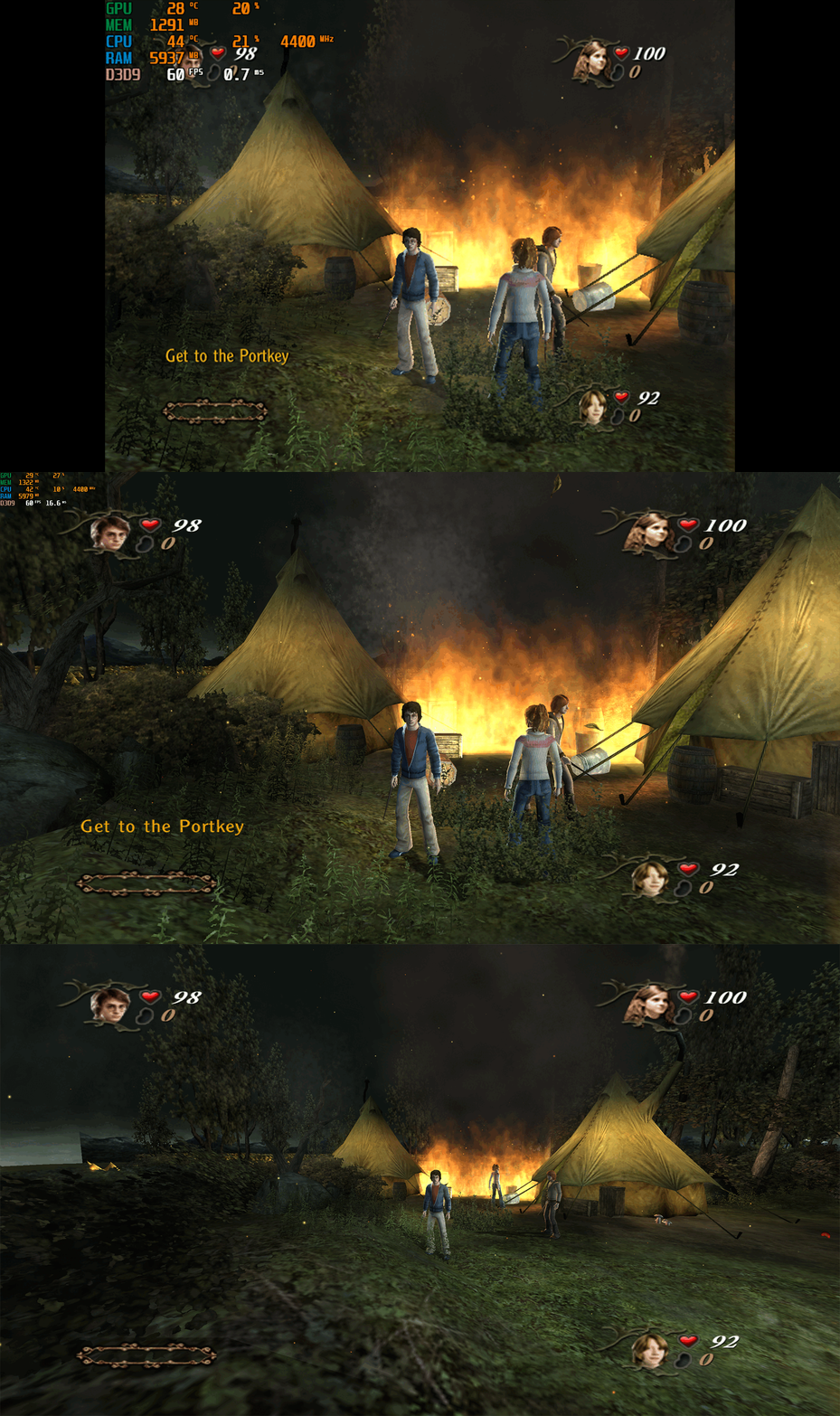
Harry Potter and the Goblet of Fire – PC Fix This fix adds modern PC features to Harry Potter and the Goblet of Fire, including widescreen resolution support, corrected aspect ratios, higher framerates, adjustable FOV and a patch for the game-breaking crashes that occurred on certain levels when using resolutions above 1080p. It is based on Elisha Riedlinger’s Direct3D 9 wrapper and expanded with additional enhancements and patches by Chip. Features included in this fix Widescreen and ultrawide resolution support Correct aspect ratio options Adjustable FOV values FPS unlocking Patch for crashes at resolutions above 1080p Editable d3d9.ini configuration How to use Download of the Harry Potter and the Goblet of Fire PC Fix. Extract d3d9.dll and d3d9.ini into the game’s installation folder next to gof_f.exe. Edit d3d9.ini to set your preferred resolution, aspect ratio, FPS limit, and FOV values. Resolution and Aspect Ratio The default resolution in d3d9.ini is set to 1920x1080. Change the Width and Height values to your desired resolution. The default AspectRatio is 1 (16:9). Choose the correct aspect ratio for your display by changing the number to one of the available presets in the ini file. FPS The default FPS limit is 60. You may change this value or set it to 0 to fully uncap the framerate. FOV The default FOV value is 0, which corresponds to the game’s original FOV of 114. You may increase this number to zoom the camera out further. Additional notes This fix resolves the specific crash that occurred on the following levels when using resolutions above 1080p 'Forbidden Forest, The Lake Task (2nd Task), The Maze Task (3rd Task) and Voldemort'. All settings can be adjusted through d3d9.ini. Official video guide https://www.youtube.com/watch?v=gMjPTeB_tHI Issues/Problems If you have any issues, with the fixes then please go to discord for help linked below. https://discord.gg/eVJ7sQH7Cc Vote to see the game return via GOG Dream list If you are interested in potentially seeing this game easily available to purchase and use today then go and vote on the games GOG Dream list to help make this become a reality, you can vote for the game here and write a message about the game if you wish – https://www.gog.com/dreamlist/game/harry-potter-and-the-goblet-of-fire-2005 Credits Base wrapper by Elisha Riedlinger & ThirteenAG. Additional game-specific patches, reverse engineering, enhancements, and configuration by Chip. Fix Enhancers https://fixenhancers.wixsite.com/fix-enhancers “Creating compatibility fixes and enhancements for legacy PC games.” Chip – founder, reverse engineer, programmer, developer, game preservationist JokerAlex21 – founder, admin, tester -
Version 1.0.0
767 downloads
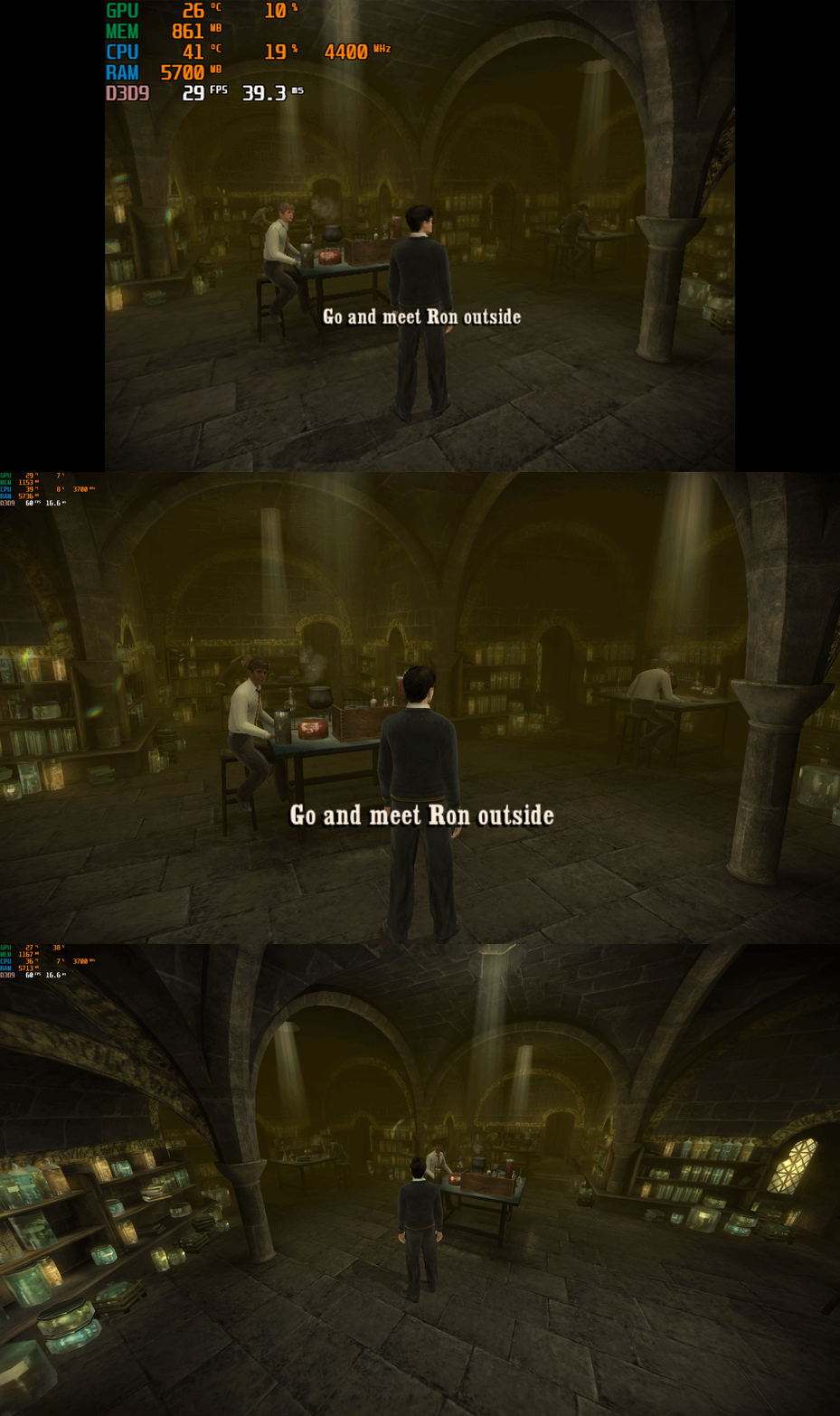
Harry Potter and the Half-Blood Prince – PC Fix This fix adds modern PC features to Harry Potter and the Half-Blood Prince, including widescreen resolution support, aspect-ratio correction, 60 or 120 FPS options, and optional FOV adjustments. It is based on Elisha Riedlinger’s Direct3D 9 wrapper and expanded with additional enhancements and patches by Chip. Features included in this fix Widescreen and ultrawide resolution support Correct aspect ratio options FOV / camera distance adjustments (0–3 levels) 60 FPS or 120 FPS frame-rate versions Editable d3d9.ini configuration Optional Nvidia Control Panel settings to fix stutter for affected users How to use Launch the game once, open the Video Options, set the resolution to 640x480, then exit the game. This step is required so the wrapper initializes correctly. Download the folder; inside there are two folders. Choose the one which matches your monitor’s refresh rate (60 FPS for 60 Hz, 120 FPS for 120 Hz and above). Put d3d9.dll, d3d9.ini, and fps.dll into the game folder next to HP.exe. Edit d3d9.ini to set your preferred resolution, aspect ratio, FOV, and other options. Additional notes If the resolution does not apply automatically, select it once inside the in-game Video Options. AspectRatio in the ini file uses numbered presets. The default is 0 (16:9). FOV values 1–3 move the camera further back. Value 0 keeps the original game camera. If FPS is stuttery or unstable, set the FPS cap in d3d9.ini to 0 (uncapped), then configure the game in your GPU control panel: Low Latency Mode: Ultra Max FPS: 278 V-Sync: Fast This also fixes issues where the mouse cursor jumps or spins across the screen. A full installation walkthrough is available in the video below. Official video guide https://www.youtube.com/watch?v=DTkDNoQrxhU Issues/Problems If you have any issues, with the fixes then please go to discord for help linked below. https://discord.gg/eVJ7sQH7Cc Vote to see the game return via GOG Dream list If you are interested in potentially seeing this game easily available to purchase and use today then go and vote on the games GOG Dream list to help make this become a reality, you can vote for the game here and write a message about the game if you wish – https://www.gog.com/dreamlist/game/harry-potter-and-the-half-blood-prince-2009 Credits Base wrapper by Elisha Riedlinger & ThirteenAG. Additional game-specific patches, reverse engineering, enhancements, and configuration by Chip. Fix Enhancers https://fixenhancers.wixsite.com/fix-enhancers “Creating compatibility fixes and enhancements for legacy PC games.” Chip – founder, reverse engineer, programmer, developer, game preservationist JokerAlex21 – founder, admin, tester -
Version 1.0.0
536 downloads
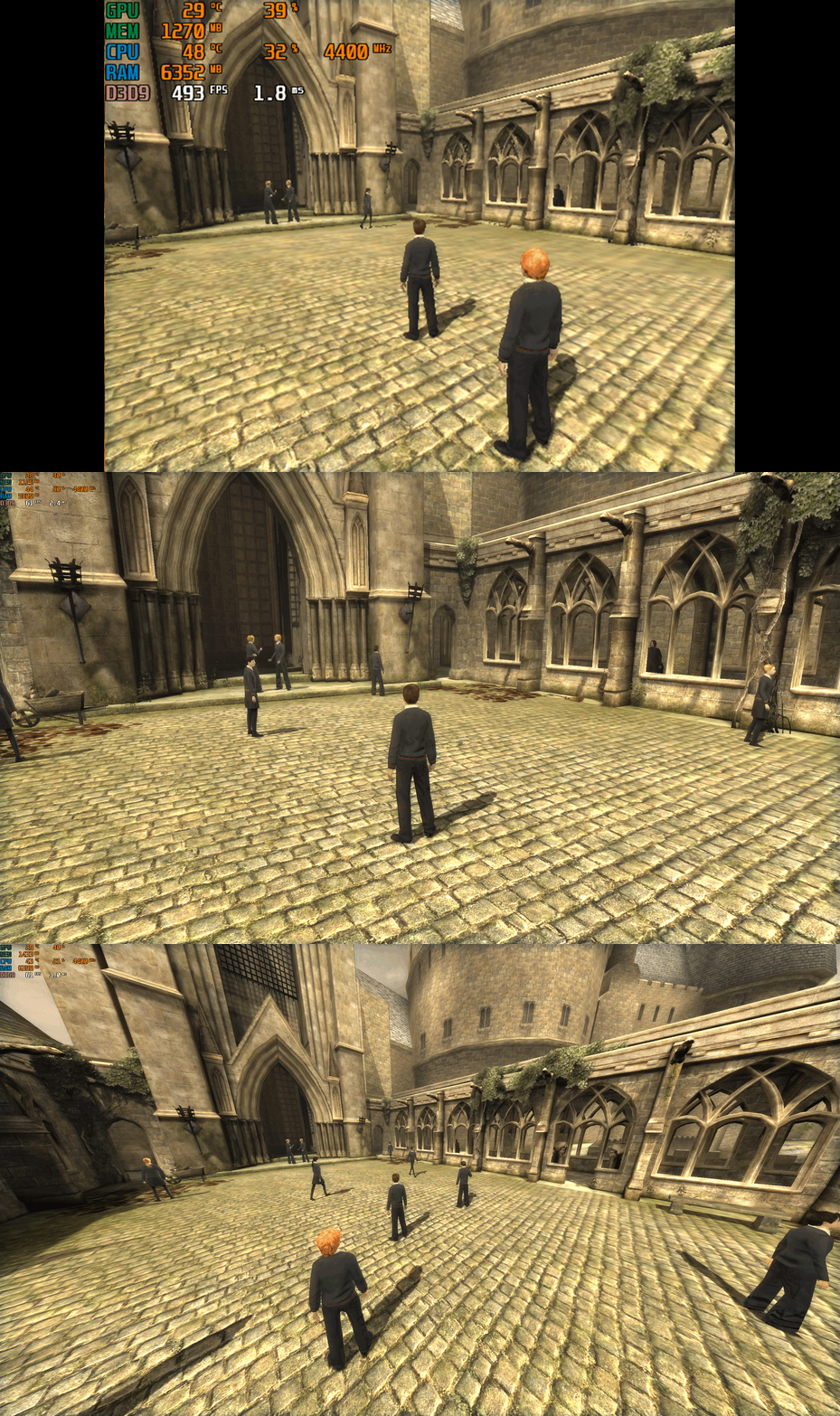
Harry Potter and the Order of the Phoenix – PC Fix This fix adds modern PC features to Harry Potter and the Order of the Phoenix, including widescreen resolution support, aspect-ratio correction, higher frame rates (60 or 120 FPS), and optional FOV adjustments. It is based on Elisha Riedlinger’s Direct3D 9 wrapper and expanded with additional enhancements and patches by Chip. Features included in this fix Widescreen and ultrawide resolution support Correct aspect ratio options FOV / camera distance adjustments (0–3 levels) 60 FPS or 120 FPS frame-rate versions Editable d3d9.ini configuration How to use Launch the game once, open the Video Options, set the resolution to 640x480, then exit the game. This step is required so the wrapper initializes correctly. Download the folder; inside there are two folders. Choose the one which matches your monitor’s refresh rate (60 FPS for 60 Hz, 120 FPS for 120 Hz and above). Put d3d9.dll, d3d9.ini, and fps.dll into the game folder next to HP.exe. Edit d3d9.ini to set your preferred resolution, aspect ratio, FOV, and other options. Play the game. Additional notes If the resolution does not apply automatically, select it once inside the in-game Video Options. AspectRatio in the ini file uses numbered presets. The default is 0 (16:9). FOV values 1–3 move the camera further back. Value 0 keeps the original game camera. A full installation walkthrough is available in the video below. Official video guide https://www.youtube.com/watch?v=VeZ-Envz9ME Issues/Problems If you have any issues, with the fixes then please go to discord for help linked below. https://discord.gg/eVJ7sQH7Cc Vote to see the game return via GOG Dream list If you are interested in potentially seeing this game easily available to purchase and use today then go and vote on the games GOG Dream list to help make this become a reality, you can vote for the game here and write a message about the game if you wish – https://www.gog.com/dreamlist/game/harry-potter-and-the-order-of-the-phoenix-2007 Credits Base wrapper by Elisha Riedlinger & ThirteenAG. Additional game-specific patches, reverse engineering, enhancements, and configuration by Chip. Fix Enhancers https://fixenhancers.wixsite.com/fix-enhancers “Creating compatibility fixes and enhancements for legacy PC games.” Chip – founder, reverse engineer, programmer, developer, game preservationist JokerAlex21 – founder, admin, tester -
Version 1.11
5,299 downloads
This modification fixes improper alpha blending based on certain objects designed to use additive alpha such as the green arrows seen in Power Plant. To use, copy the executable into the main game directory and other items including the dff models, one archive edits and the texture dictionary fixes (which some of them without alpha caused the issue) into your dvdroot folder. There are optional graphic mods to enhance the visual effects made along with this mod. Copy the MasterEffect or SweetFX files into the directory where your executable is located. The last thing is the third warp effect used in haunted levels of the game can now be used anywhere in the game by setting the byte in offsets "1ADAA" and "1ADEA" to byte "04" as an optional effect load function based on an object used for teleporting somewhere else in the level. -

Version 1.0.0
185 downloads
This is an enhanced version of the Valve logo seen in portal 2 (Open Your Mind 2012), the version that turns its head. Unlike the the one I made for Half-Life 2, this one has a bit more work into it. The video itself is the version that is found in the 2011 leak of DOTA 2. The file itself was in a USM format that needed to be converted as this is the highest quality version of the logo. The audio was manually recreated with the Valve theme from the Half-Life soundtack. The copyright information was recreated to match the quality. The video was converted several times: Converted from USM to m2v from m2v to mov (for the editing software) rendered into a mov then converted to bik. Quality was effected a small bit due to this, but I did the best I could to maintain it. It still looks much better than Portal 2's. ---------------------------------------------------------------------------- Installation: Simply download the zip file and extract it into Portal 2's directory (Where portal2.exe is located). Any updates will not override the file unless Valve decides to add new content one day. --------------------------------------------------------------------------- Details: No A.I was used. Everything you see and hear is all naturally occurring, even the FPS. The only manual "clean up" I did was recreate the copyright information in the video. Higher resolution: Now 1920x1080 instead of 1280x720 Higher FPS: Now 30 Instead of 24 Higher quality audio (see audio details below) Cleaner looking video Copyright information was recreated using a similar font. InkScape's "Trace Bitmap" feature was used to enhance the Source logo. Audio Details: This is where most of the work took place. I used the flac version of the Valve Theme from Half-Life's OST to manually recreate the audio heard in this version of the logo. It may sound slightly different, but that's because I worked with what I had. It took some doing, but aside from the reverb at the end since I could not get it right, I think it is nearly identical. I used the distortion sound from the audio of the USM file. -

Version 1.0.0
405 downloads
This is simply a higher quality version of Half-Life 2's valve logo (Open Your Mind from 2007). This version is from the Source SDK Base 2007 but oddly had worse audio quality, but the video was very clean. I used the same method I did for the version I made for Half-Life 1. I took the version from the SDK and mixed it with the FLAC file of the Valve theme from Half-Life's OST and manually trimmed the song to match the logo, giving the logo both higher quality video and audio. The copyright information was used from the original video located in Half-Life 2's directory, so copyright information is consistent with the original. Credits for the video and audio go to valve, I only take credit for merging these two things together. This is not the version that turns its head. Improvements compared to the original: Slightly higher FPS. Now 24.02 instead of 23.98 Somehow slightly smaller file size (again) Much cleaner looking video Higher sound quality Nothing was manually or AI enhanced. What you see and hear is naturally occurring, even the FPS. Installation: Backups do not need to be made. This uses the Source Engine's custom directory, which means nothing gets overwritten and/or gets reset after an update. Extract the zip file to <path-to-game>\hl2 launch the game, and the enhanced logo should play. This can be used for other Valve games also but if you like accuracy, the copyright information may be incorrect as this was made for Half-Life 2. -
I consider pcgamingwiki.com to be one of the most comprehensive repositories of technical data on video games. And, at the same time, PCGW is one of the most difficult to find games that meet certain criteria. Especially when compared to Steam search with additional capabilities provided by the Augmented Steam and SteamDB browser extensions. Moreover, external wiki search is useless, because the mere mention of some feature on the page does not mean its presence in the game, since it is only a field header in a table, for which an arbitrary value can be set as an icon. I understand that technically a wiki is just a set of text files united by links. This makes it very accessible for editing, mass, but, unlike database-based systems, makes it very limited for research. I propose to create a task and formulate a technical task for it to expand the wiki with the ability to flexibly search for games by parameters, using inclusion and exclusion filters. Probably, this will require setting up regular parsing of updated pages. And here the established practice of using templates for pages will greatly help us out. To start, it is enough to include several of the most popular parameters in the search, adding others over time. Alternatively, you can allow users to search by parameters that are currently unavailable in Steam. For example, the presence of a DRM-free option, Multi-monitor, Subtitles, separate search by GUI language, audio and subtitles. Similar issues were discussed earlier in the topic "Template:Feature - Transition over from semantic search to pages with the embedded query", which is now locked.
-

Version 3.0.0
280 downloads
Note: This only plays on the original, non-Steam version of Half-Life (WON version). The Steam version does not have video playback on startup. It was completely removed with no way to reactivate it. For a version that works for the 25th-Anniversary update to Half-life, go here. So here is something a little different, an enhanced version of the classic Valve logo from Half-Life when it first starts up. I know most people probably just skip these, but I wanted to make this anyway. Small little personal project that I decided to make public. Improvements compared to the original: -Higher FPS: Now 30fps instead of 15fps. -Higher Bit-rate maybe?: Now ~2482Kbps, the original may have been lower but don't know the exact bit-rate. -Higher Quality Audio: I replaced the original, VERY noisy unsigned 8-bit PCM audio with signed 16-bit PCM with little endian. -Higher Sample Rate: Now 44100Hz instead of 22050Hz. -Music is now in Stereo instead of Mono. -Somehow slightly smaller file size. -Better, slightly more animated Logo: I did not do the animation, Valve did. The only negative here is that it is still 640x480 resolution, but I had to keep it at that to avoid the video from freezing part way through. The image quality suffers because of this also. ----------------------------------------------------------------------------------------------------------------- More Details: Nothing was manually or AI enhanced/remastered, what you see/hear is all naturally occurring. Even the FPS. Amongst the files of the Source SDK Base 2013 Singleplayer, is a teaser of Half-Life 2: Episode 2 (Which I think also plays at the end of Episode 1). This teaser contains a higher quality version of Valve's classic logo from Half-Life in 30fps and higher visual quality. I took that logo out of the teaser, replaced the audio with the official FLAC file of the Valve Theme from the Half-Life OST, manually trimmed and aligned the audio to match the original, converted it to the necessary codecs with FFmpeg, and here we are. I only take credit for simply mashing these two things together since both the video and audio was made by Valve. ----------------------------------------------------------------------------------------------------------------- ~Installation~ Note: Make sure you backup any already existing files. If you want to see it before installing, open valve.avi with Windows Media Player. 1. Extract the zip file in <path-to-game>/valve/media. 2. Click yes if asked to replace existing files. Personal Changelog: V1.0 Initial creation. V2.0 Adjusted resolution to 640x480 to prevent the video from freezing part way through. V3.0 Resized logo to better match the original size of the original logo. -
Version 1.0
4,631 downloads
Article: Grand Theft Auto: San Andreas This archive contains an already setup mod loader, a working widescreen mod along with an intro removal mod which allows to also skip any extra loading screens and a fixed working view distance mod with a flicker fix. Simply extract the contents from the archive and overwrite everything. Refer to the article for further informations.