
Search the Community
Showing results for tags 'ATI'.
Found 6 results
-
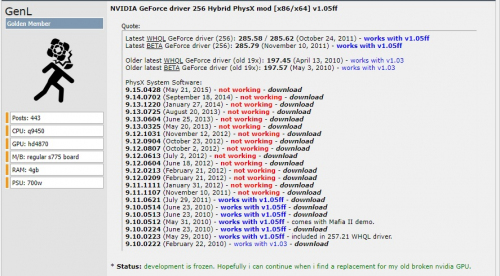
Version 1.05ff
5 downloads
* DESCRIPTION: This mod will enable hardware PhysX support for NVIDIA GPU, when non-NVIDIA GPU is used as a primary display device. - intended only for WDDM 1.1 OS (Windows 7) and NT5 WDM OS (Windows XP/2003). - only for multi-vendor multi-GPU configurations. * INSTALLATION STEPS (Windows 7) 1. Install the needed GeForce driver 256 package. Update PhysX SS (only 9.10.0223 or later) if needed. 2. Use the mod to patch all needed files and registry values automatically. 3. [optional] Use command line files to set a desired configuration. * INSTALLATION STEPS (Windows XP/2003) 1. Install the needed GeForce driver 256 package. Update PhysX SS (only 9.10.0223 or later) if needed. 2. Use the mod to patch all needed files and registry values automatically. 3. Extend the display assigned to NVIDIA GPU. Or make sure it is extended already. 4. [optional] Use command line files to set a desired configuration. * NOTES: 1. If you update PhysX System Software after using the mod, you should use it again to patch the updated PhysX files. 2. It is safe to use the mod several times - all needed files will be patched only once. 3. If you still have problems with fake displays and desktop extension, try to delete a fake display and create it again. -
-
Version 8.14.10.761
2,834 downloads
Original source: Guru3D This is the atiumdag.dll file v8.14.10.761. It is for fixing rendering issues in games with AMD/ATI GPUs. The file should only be used with game fixes that specifically link to this version. It should not be used in any other case. General installation instructions: To install it, extract the file to the folder where the main game executable resides. Accept any overwrite dialog windows that may appear. NOTE: It is recommended to backup any existing version of the DLL file in the game folder before overwriting it. -
Version 6.14.10.12874
1,817 downloads
This is a working copy of the atioglxx.dll file which fixes the Homeworld classic crash on launch. Here's the origin of this file: 1. Downloaded the amd-catalyst-14.4-64bit-win8.1-win8-win7-whql-aug.exe file from AMD 2. Extracted via ATI installer process 3. Ran "expand atioglxx.dl_ atioglxx.dll" 4. Created a sha1 checksum of the resulting file 5. 7zipped the files Archive checksum: "d3172a29a6231f42efa10aec4164e9210167be7e *HW2_working_atioglxx.dll.7z" -
-


