

About This File
Harry Potter: Quidditch World Cup – PC Fix
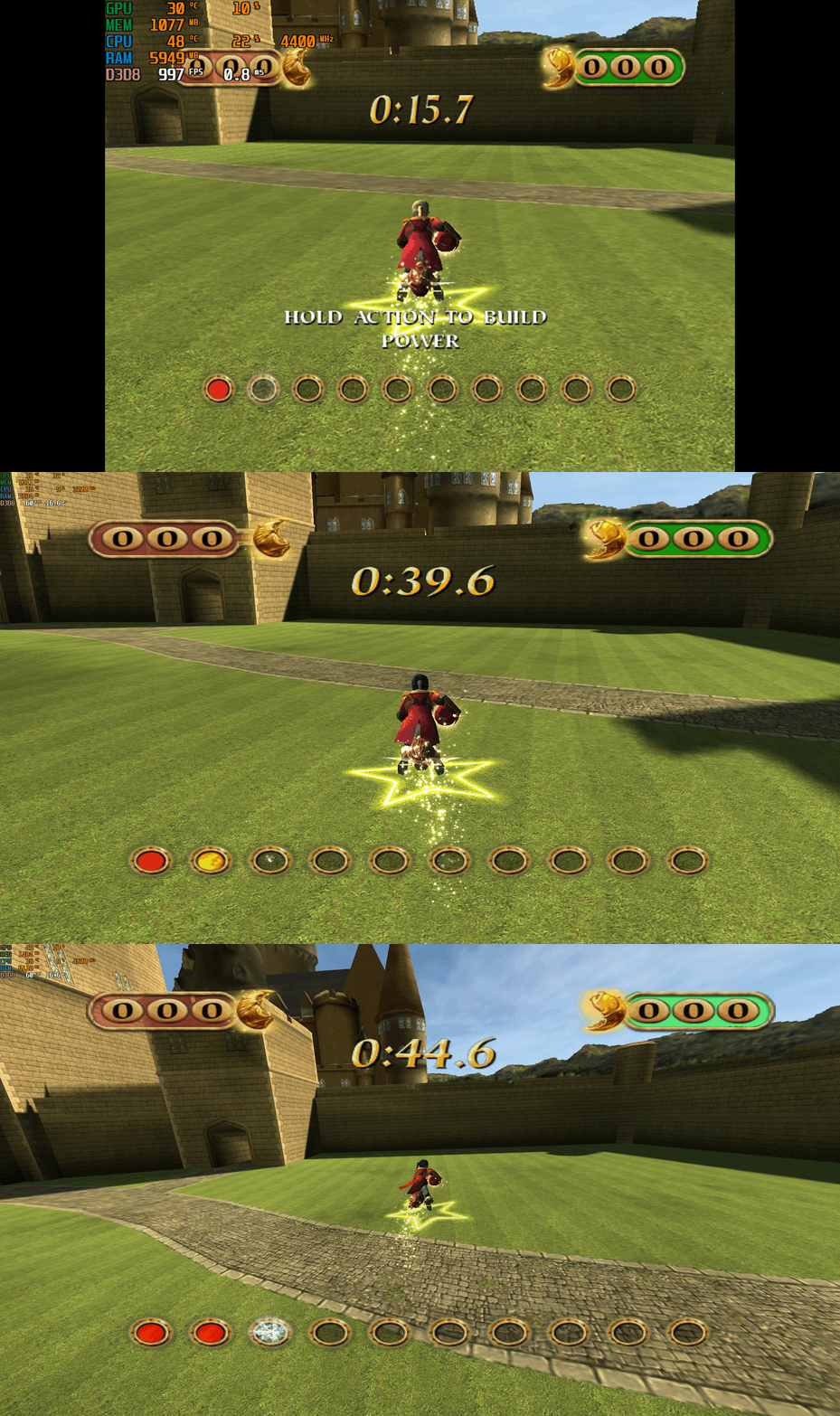
This fix adds modern PC features to Harry Potter: Quidditch World Cup, including widescreen resolution support, higher aspect ratios, higher framerates, adjustable FOV, and compatibility with the Spectral Platypus developer console mod. It is based on Elisha Riedlinger’s Direct3D 8 wrapper and expanded with additional enhancements and patches by Chip.
Features included in this fix
- Widescreen and ultrawide resolution support
- Correct aspect ratio options
- Adjustable FOV values
- FPS unlocking
- Compatibility with the Spectral Platypus developer console mod
- Editable d3d8.ini configuration
Developer console compatibility
This fix is fully compatible with the developer console mod by Spectral Platypus.
Download the console mod from: https://github.com/SpectralPlatypus/QWC-Console/releases/tag/v1.2
Place d3d8.dll and imgui.ini from the mod into the game folder next to QWC.exe.
Then download hpqwcfix-consolemodcompatable.zip from Harry Potter Quidditch World Cup fix and extract its contents into the same folder.
This allows you to use both the developer console and the Harry Potter Quidditch World Cup fix patch simultaneously.
Instructions for using the developer console are available on the mod’s GitHub page.
How to use
Download the Harry Potter: Quidditch World Cup fix.
Extract d3d8.dll and d3d8.ini into your game folder next to QWC.exe.
Edit d3d8.ini to configure resolution, aspect ratio, FPS and FOV.
Resolution and Aspect Ratio
The default Resolution is set to 1920x1080. Change the Width and Height fields to your preferred resolution.
The default Aspect Ratio value is 1 (16:9). Choose a different preset by selecting the number matching your display.
FPS
The default FPS limit is 60. You may change this value or uncap it completely with 0 using the FPSLimit option in d3d8.ini.
FOV
The default FOV value is 0, which corresponds to the game’s original FOV of around 114.
Increase the FOV value to zoom out the camera further.
Additional notes
This game benefits greatly from higher aspect ratios and modern resolution support.
All configuration is handled through d3d8.ini.
Official video guide
https://www.youtube.com/watch?v=0yXGO3415-o
Issues/Problems
If you have any issues, with the fixes then please go to discord for help linked below.
Vote to see the game return via GOG Dream list
If you are interested in potentially seeing this game easily available to purchase and use today then go and vote on the games GOG Dream list to help make this become a reality, you can vote for the game here and write a message about the game if you wish – https://www.gog.com/dreamlist/game/harry-potter-quidditch-world-cup-2003
Credits
Base wrapper by Elisha Riedlinger & ThirteenAG.
Additional game-specific patches, reverse engineering, enhancements, and configuration by Chip.
Fix Enhancers
https://fixenhancers.wixsite.com/fix-enhancers
“Creating compatibility fixes and enhancements for legacy PC games.”
Chip – founder, reverse engineer, programmer, developer, game preservationist
JokerAlex21 – founder, admin, tester


.thumb.png.573424dca099f94733865bd8286986b1.png)


Recommended Comments
There are no comments to display.
Join the conversation
You can post now and register later. If you have an account, sign in now to post with your account.