
Search the Community
Showing results for tags 'aspect ratio fix'.
Found 8 results
-
.thumb.png.b7346f2c30addf6c9007efc0a737d19f.png)
Version 1.0.0
6 downloads
This file contains some general improvements for a game called Black & White 2 and its expansion Black & White 2 Battle of the Gods. Features: Fast startup: Skiping the intro videos completly Fix the aspect ratio of the "advisors" Scale the font sizes (scaling factor in scripts/blackfixer.ini) Include a wrapper to fix other compatiblity problems(ex.: playing with a high frequency mouse) Installation: Base game: Unpact it into the game directory Expansion: Unpack it into the "BaseGame/Black & White 2 Battle of the Gods" directory -
Version 1.0.0
20 downloads
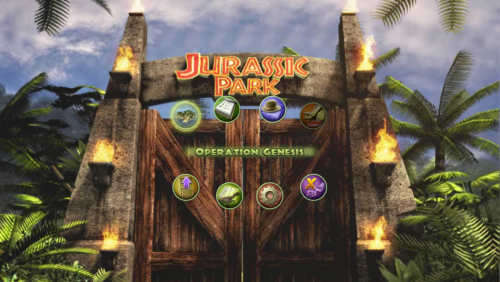
This file contains a widescreen fix for a game called Jurassic Park: Operation Genesis. Unpack it into the game folder. Features: Unlock the in-game resolution selector Unlock the resolution selector in Setup.exe Field of view correction and ability to set a multiplier in scripts/JurassicFixer.ini Fix the GUI and HUD aspect ratio Compensate the aspect ratio of the background video- 1 comment
-
- 1
-

-
- resolution fix
- aspect ratio fix
- (and 1 more)
-
.thumb.png.a79dcef26ae7dddb864f74ff150f4f92.png)
Version 2.1.0
85 downloads
This file contains a widescreen fix and some compatibility improvements for a game called Scooter pro. Unpack it into the game directory.- 6 comments
-
- 2
-
-

-
- aspect ratio fix
- fov fix
- (and 1 more)
-
Version 1.0.0
417 downloads
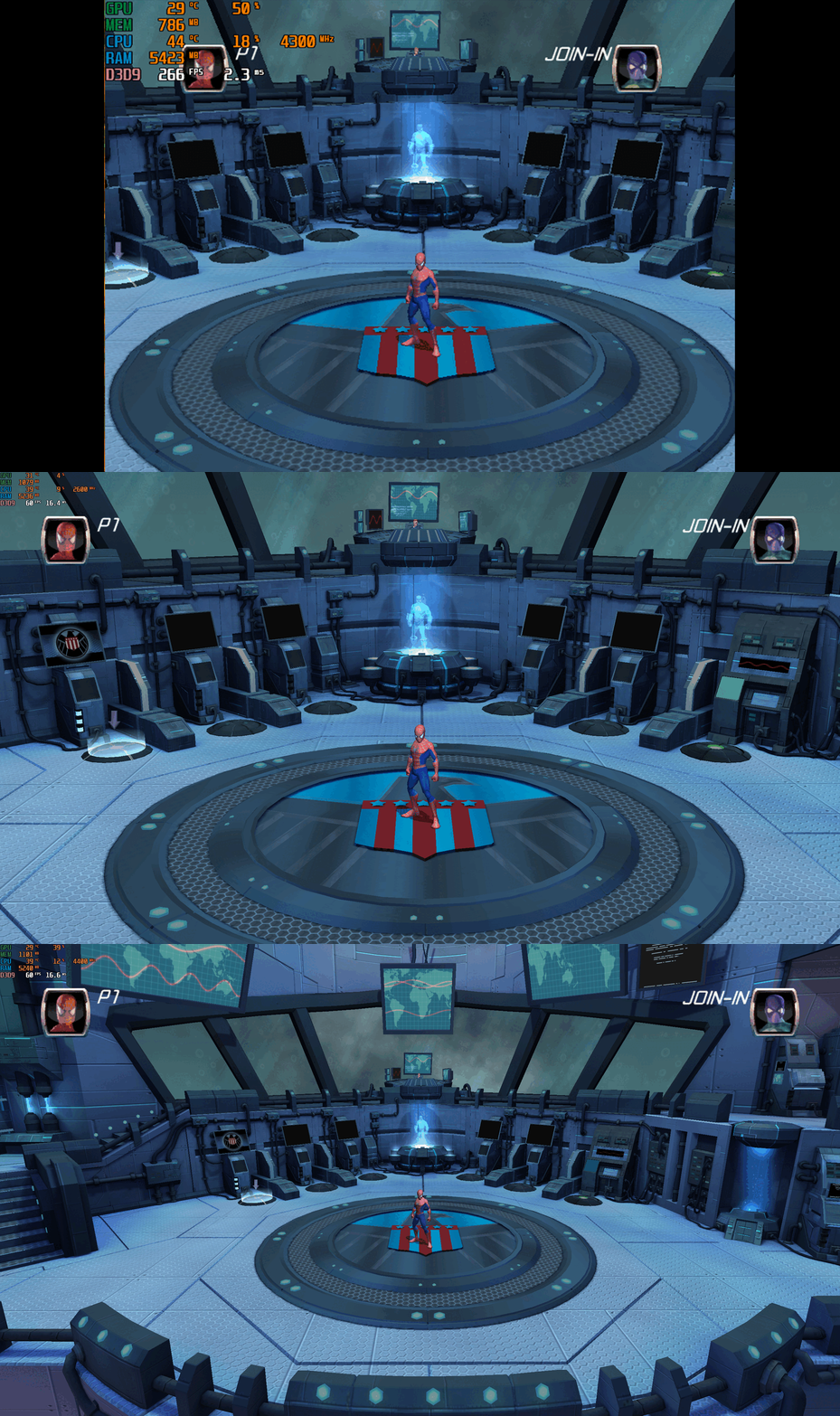
Spider-Man Friend or Foe – PC Fix This fix adds modern PC features to Spider-Man Friend or Foe, including widescreen resolution support, higher aspect ratios, higher framerates and adjustable FOV. It is based on Elisha Riedlinger’s Direct3D 9 wrapper and expanded with additional enhancements and patches by Chip. Features included in this fix Widescreen and ultrawide resolution support Higher aspect ratio options Adjustable FOV values FPS unlocking Editable d3d9.ini configuration How to use Download the Spider-Man Friend or Foe fix. Extract d3d9.dll and d3d9.ini into your game folder next to game.exe. Edit d3d9.ini to configure resolution, aspect ratio, FPS and FOV. Resolution and Aspect Ratio The default Resolution is set to 1920x1080. Change the Width and Height fields to your preferred resolution. The default Aspect Ratio value is 1 (16:9). Choose a different preset by selecting the number matching your display. FPS The default FPS limit is 60. You may change this value or uncap it completely with 0 using the FPSLimit option in d3d9.ini. FOV The default FOV value is 0, which corresponds to the game’s original FOV. Increase the FOV value to zoom out the camera further. Additional notes This game benefits greatly from higher modern resolutions, aspect ratios, and FOV support. All configuration is handled through d3d9.ini. Official video guide Issues/Problems If you have any issues, with the fixes then please go to discord for help linked below. https://discord.gg/eVJ7sQH7Cc Vote to see the game return via GOG Dream list If you are interested in potentially seeing this game easily available to purchase and use today then go and vote on the games GOG Dream list to help make this become a reality, you can vote for the game here and write a message about the game if you wish – https://www.gog.com/dreamlist/game/spider-man-friend-or-foe-2007 Credits Base wrapper by Elisha Riedlinger & ThirteenAG. Additional game-specific patches, reverse engineering, enhancements, and configuration by Chip. Fix Enhancers https://fixenhancers.wixsite.com/fix-enhancers “Creating compatibility fixes and enhancements for legacy PC games.” Chip – founder, reverse engineer, programmer, developer, game preservationist JokerAlex21 – founder, admin, tester -
Version 1.0.0
939 downloads
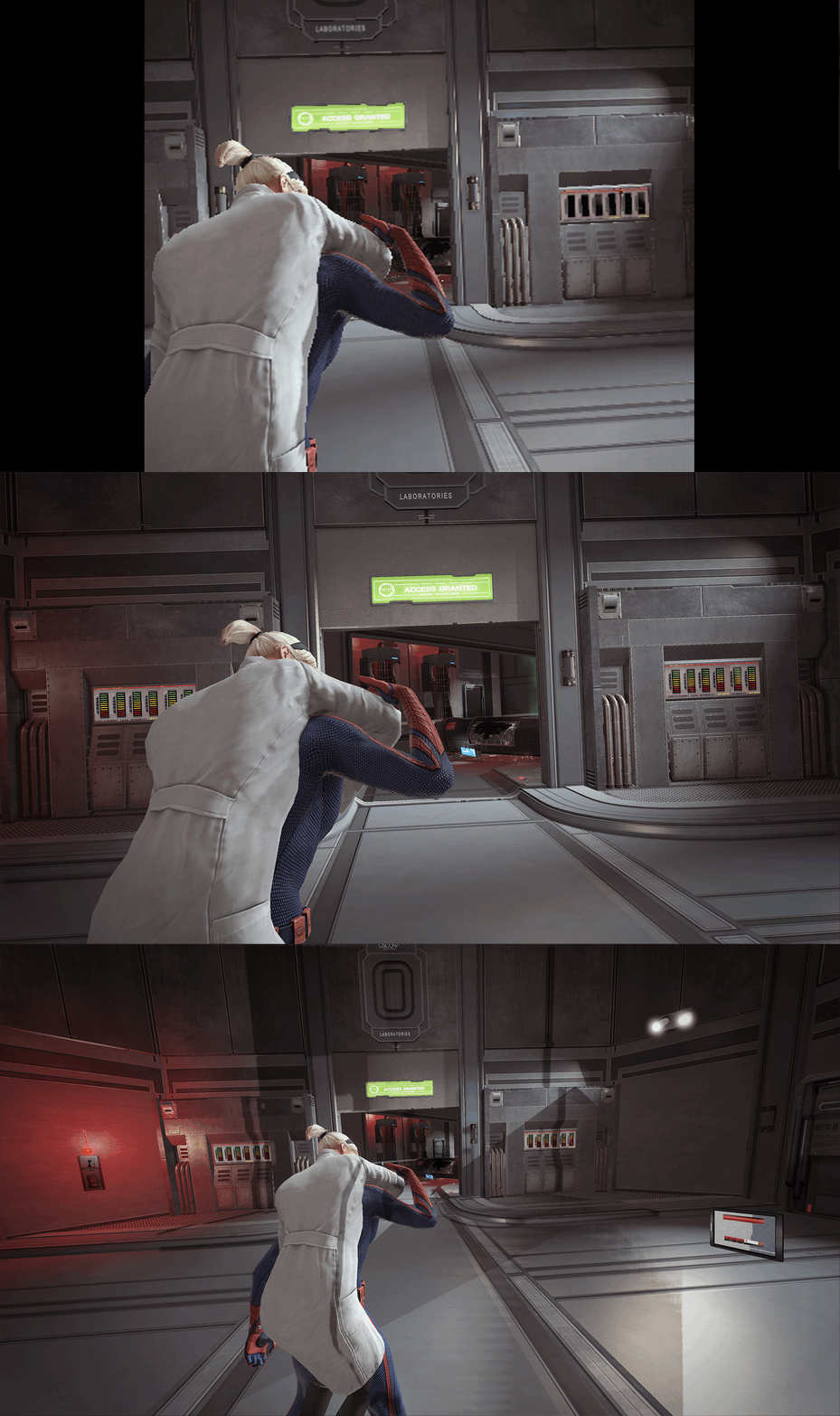
The Amazing Spider-Man – PC Fix This fix adds modern PC features to The Amazing Spider-Man, including fixing widescreen resolutions and higher aspect ratio support, FPS smoother, broken shadows fix, higher FOV toggle and fixed VideoDetection.dll file (for Steam users) to fix the launcher not having correct memory. It is based on Elisha Riedlinger’s Direct3D 9 wrapper and expanded with additional enhancements and patches by Chip. Features included in this fix Widescreen and ultrawide resolution support Higher aspect ratio options FPS smoothing Higher FOV toggle Shadows fix STEAM USERS ONLY - Launcher memory issue fix Editable d3d9.ini configuration How to use Download the Amazing Spider-Man fix. Extract d3d9.dll, d3d9.ini and [hotkey]keycodes.txt files into your game folder next to game.exe. Edit d3d9.ini to configure resolution, aspect ratio and FPS limit and FOV Toggle options. Resolution and Aspect Ratio The default Resolution is set to 1920x1080. Change the Width and Height fields to your preferred resolution. The default Aspect Ratio value is 1 (16:9). Choose a different preset by selecting the number matching your display. FPS The fix makes frame rate as smooth as possible by tricking the game to run under an older Nvidia graphics card that it was originally running well on. The default for FPS is set to 0 which is uncapped. The FPS can only go up to 60. FOV The default FOV value is 1, which is slightly zoomed out. To set an increased FOV or use the default game FOV set the option to either 0 or 1,2,3. Issues/Problems If you have any issues, with the fixes then please go to discord for help linked below. https://discord.gg/eVJ7sQH7Cc Vote to see the game return via GOG Dream list If you are interested in potentially seeing this game easily available to purchase and use today then go and vote on the games GOG Dream list to help make this become a reality, you can vote for the game here and write a message about the game if you wish – https://www.gog.com/dreamlist/game/the-amazing-spider-man-2012 Credits Base wrapper by Elisha Riedlinger & ThirteenAG. Additional game-specific patches, reverse engineering, enhancements, and configuration by Chip. Fix Enhancers https://fixenhancers.wixsite.com/fix-enhancers “Creating compatibility fixes and enhancements for legacy PC games.” Chip – founder, reverse engineer, programmer, developer, game preservationist JokerAlex21 – founder, admin, tester -
Version 1.0.0
850 downloads
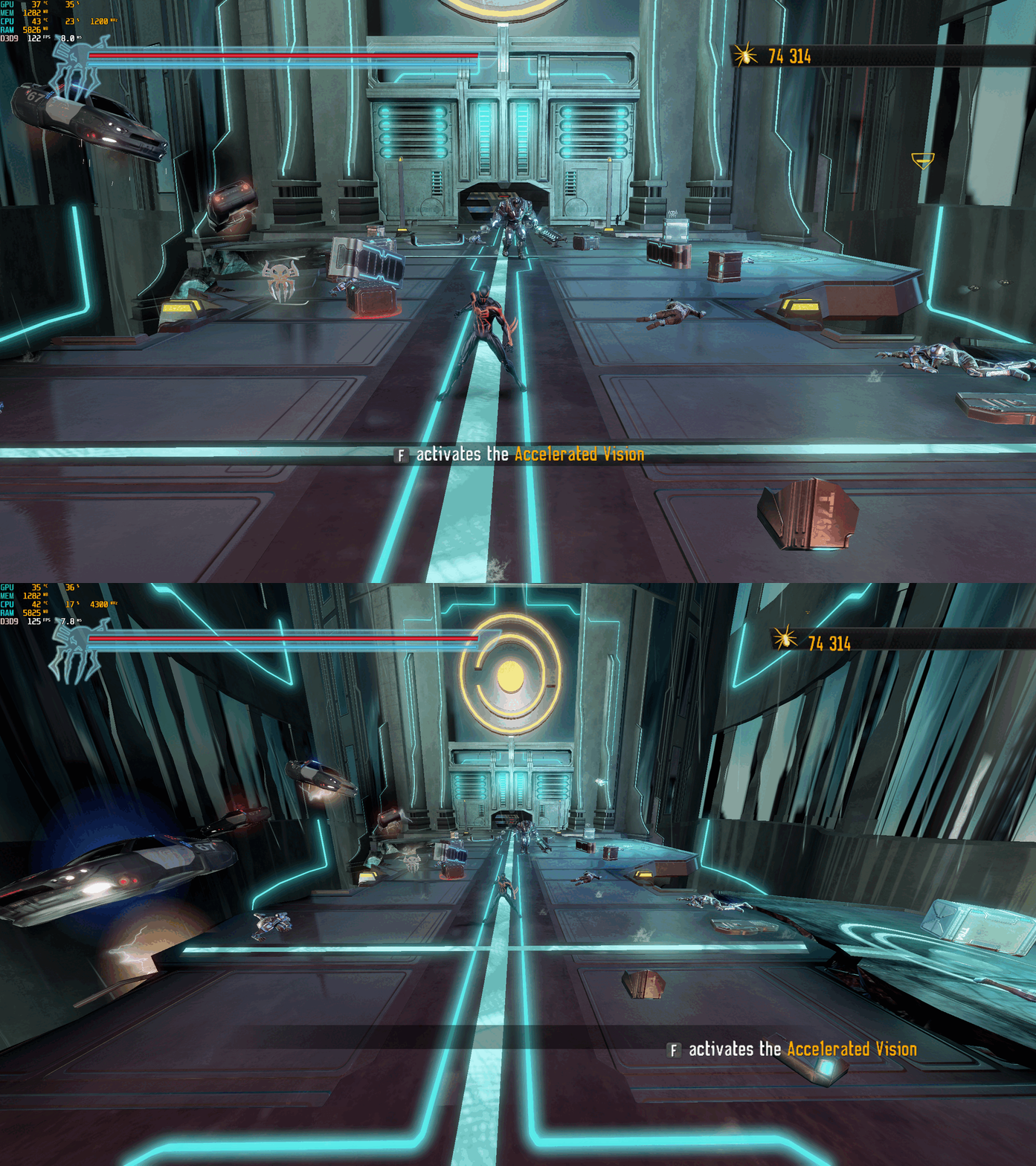
Spider-Man: Shattered Dimensions – PC Fix This fix adds modern PC features to Spider-Man: Shattered Dimensions, including fixing widescreen resolutions which auto calculate aspect ratio, uncapped FPS and higher FOV. It is based on Elisha Riedlinger’s Direct3D 9 wrapper and expanded with additional enhancements and patches by Chip. Features included in this fix Widescreen and ultrawide resolution support which auto calculates aspect ratio Higher FOV (with toggle system for broken sections) Uncapped FPS Editable d3d9.ini configuration How to use Download the Spider-Man: Shattered Dimensions fix. Extract d3d9.dll and d3d9.ini and [hotkey]keycodes.txt files into your game folder next to game.exe. Edit d3d9.ini to configure resolution, FPS limit and FOV. To edit the FOV hotkey you wish to use for the toggle find the keycode from inside the [hotkey]keycodes.txt file and then paste this into the corresponding area inside of the d3d9.ini file for the hotkey option. Resolution and Aspect Ratio The default Resolution is set to 1920x1080. Change the Width and Height fields to your preferred resolution. Aspect Ratio is auto calculated by the set resolution. FPS The default FPS limit is 60. You may change this value or uncap it completely with 0 using the FPSLimit option in d3d9.ini. Bare in mind it is advised you do not go above 60 as bugs can occur at higher FPS. FOV The default FOV value is 2, which is fully zoomed out. To set a lower FOV or use the default game FOV set the option to either 0 or 1. Issues/Problems If you have any issues, with the fixes then please go to discord for help linked below. https://discord.gg/eVJ7sQH7Cc Vote to see the game return via GOG Dream list If you are interested in potentially seeing this game easily available to purchase and use today then go and vote on the games GOG Dream list to help make this become a reality, you can vote for the game here and write a message about the game if you wish – https://www.gog.com/dreamlist/game/spider-man-shattered-dimensions Credits Base wrapper by Elisha Riedlinger & ThirteenAG. Additional game-specific patches, reverse engineering, enhancements, and configuration by Chip. Fix Enhancers https://fixenhancers.wixsite.com/fix-enhancers “Creating compatibility fixes and enhancements for legacy PC games.” Chip – founder, reverse engineer, programmer, developer, game preservationist JokerAlex21 – founder, admin, tester -
Version 1.0.0
790 downloads
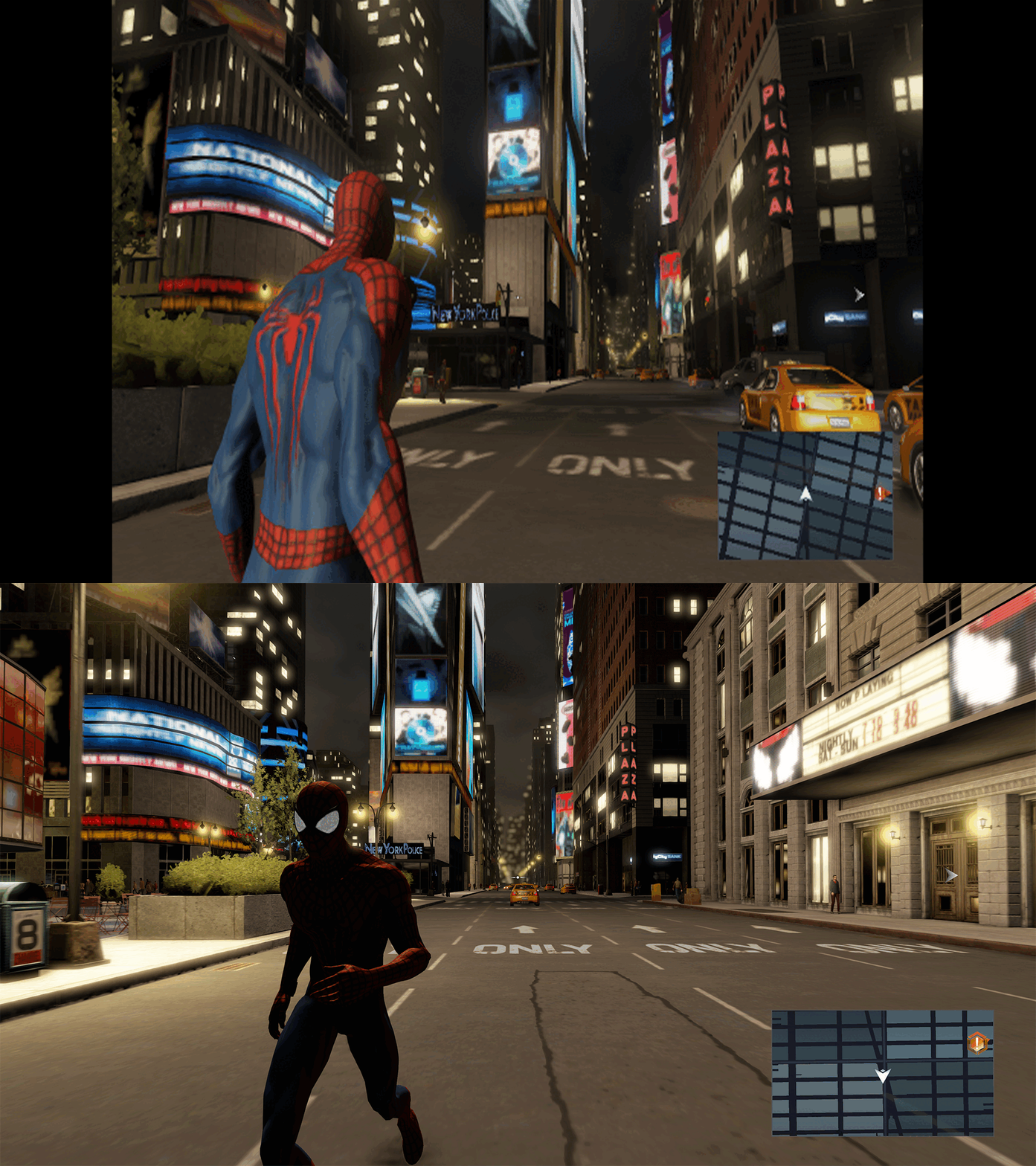
The Amazing Spider-Man 2 – PC Fix This fix adds modern PC features to The Amazing Spider-Man 2, including fixing widescreen resolutions and higher aspect ratio support, FPS smoother and Turning off the 30fps v-sync cap. It is based on Elisha Riedlinger’s Direct3D 9 wrapper and expanded with additional enhancements and patches by Chip. Features included in this fix Widescreen and ultrawide resolution support Higher aspect ratio options FPS smoothing/v-sync fix Editable d3d9.ini configuration How to use Download the Amazing Spider-Man 2 fix. Extract d3d9.dll and d3d9.ini into your game folder next to game.exe. Edit d3d9.ini to configure resolution, aspect ratio and FPS limit. Resolution and Aspect Ratio The default Resolution is set to 1920x1080. Change the Width and Height fields to your preferred resolution. The default Aspect Ratio value is 1 (16:9). Choose a different preset by selecting the number matching your display. FPS The fix makes frame rate as smooth as possible by tricking the game to run under an older Nvidia graphics card that it was originally running well on. The default for FPS is set to 0 which is uncapped. The FPS can only go up to 60. Issues/Problems If you have any issues, with the fixes then please go to discord for help linked below. https://discord.gg/eVJ7sQH7Cc Vote to see the game return via GOG Dream list If you are interested in potentially seeing this game easily available to purchase and use today then go and vote on the games GOG Dream list to help make this become a reality, you can vote for the game here and write a message about the game if you wish – https://www.gog.com/dreamlist/game/the-amazing-spider-man-2-2014 Credits Base wrapper by Elisha Riedlinger & ThirteenAG. Additional game-specific patches, reverse engineering, enhancements, and configuration by Chip. Fix Enhancers https://fixenhancers.wixsite.com/fix-enhancers “Creating compatibility fixes and enhancements for legacy PC games.” Chip – founder, reverse engineer, programmer, developer, game preservationist JokerAlex21 – founder, admin, tester -
Version 1.0.0
779 downloads
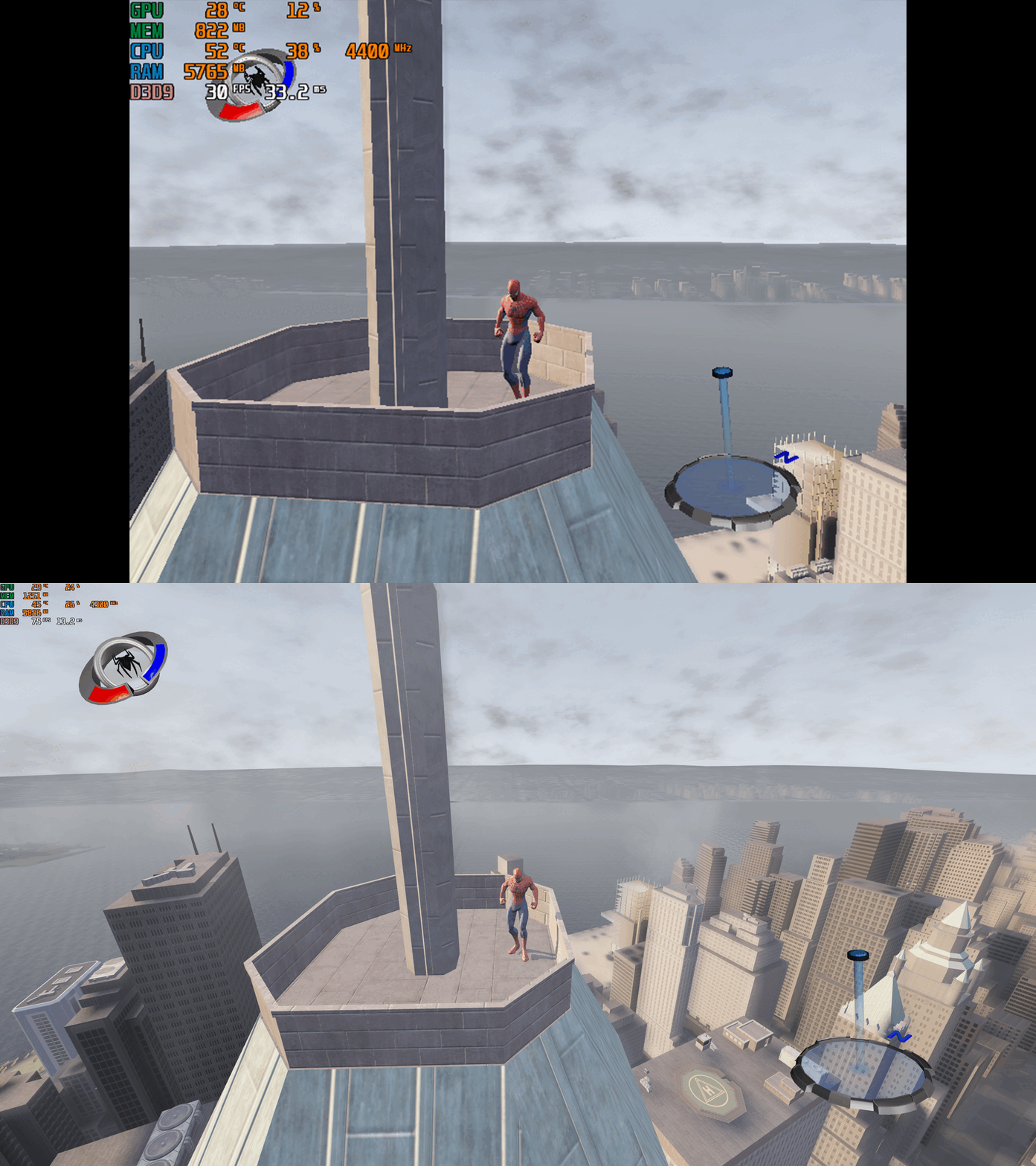
Spider-Man 3 – PC Fix This fix adds modern PC features to Spider-Man 3, including widescreen resolution support, higher aspect ratios, higher framerates (with a toggle system for broken areas) and adjustable FOV. It is based on Elisha Riedlinger’s Direct3D 9 wrapper and expanded with additional enhancements and patches by Chip. Features included in this fix Widescreen and ultrawide resolution support Higher aspect ratio options Adjustable FOV values FPS unlocking (with 30fps toggle for broken areas) Editable d3d9.ini configuration How to use Download the Spider-Man 3 PC Fix. Extract the contents d3d9.dll, d3d9.ini and [hotkey]keycodes.txt files into the installation folder next to game.exe. You can edit the settings you want in the d3d9.ini file. To edit the FPS hotkey you wish to use for the toggle find the keycode from inside the [hotkey]keycodes.txt file and then paste this into the corresponding area inside of the d3d9.ini file for the hotkey option. Resolution and Aspect Ratio The default Resolution is set to 1920x1080. Change the Width and Height fields to your preferred resolution. The default Aspect Ratio value is 1 (16:9). Choose a different preset by selecting the number matching your display. FPS The default FPS limit is 60. You may change this value or uncap it completely with 0 using the FPSLimit option in d3d9.ini. FOV The default FOV value is 0, which corresponds to the game’s original FOV. Increase the FOV value to zoom out the camera further. Issues/Problems If you have any issues, with the fixes then please go to discord for help linked below. https://discord.gg/eVJ7sQH7Cc Vote to see the game return via GOG Dream list If you are interested in potentially seeing this game easily available to purchase and use today then go and vote on the games GOG Dream list to help make this become a reality, you can vote for the game here and write a message about the game if you wish – https://www.gog.com/dreamlist/game/spider-man-3-2007 Credits Base wrapper by Elisha Riedlinger & ThirteenAG. Additional game-specific patches, reverse engineering, enhancements, and configuration by Chip. Fix Enhancers https://fixenhancers.wixsite.com/fix-enhancers “Creating compatibility fixes and enhancements for legacy PC games.” Chip – founder, reverse engineer, programmer, developer, game preservationist JokerAlex21 – founder, admin, tester

.thumb.png.b7346f2c30addf6c9007efc0a737d19f.png)

.thumb.png.a79dcef26ae7dddb864f74ff150f4f92.png)


