
Search the Community
Showing results for tags 'naruto ultimate ninja storm 4'.
Found 2 results
-
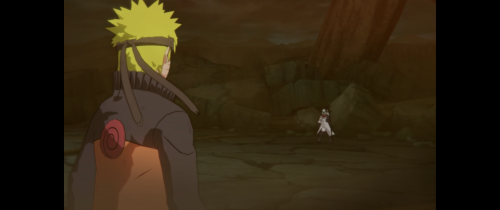
Version 1.0.0
138 downloads
Disclaimer This software is a modification for the game NARUTO SHIPPUDEN: Ultimate Ninja STORM 4 and is not affiliated with or endorsed by the Game developers or publishers. I don't know what will happen if you use this in online battle mode and I take no responsibility for any bans. Description: Adds native ultrawide support. As in the previous part, there is a strong 16:9 core logic, which is more noticeable with wider aspect ratios. Fixes: 16:9 resolution lock FOV Features: custom FOV mode for battles custom HUD scaling Tested with the following aspect ratios: 16:10, 21:9, 32:9 How to install Windows: Extract the zip file to the game's installation directory. Open the config.ini file from the game: change aspectx and aspecty to 0 and set your resolution in width and height. Features can be activated in Ultrawideconfig.ini . Don't forget to save. Start the game. Steam Deck/Linux: Extract the zip file to the game's installation directory. Open the config.ini file from the game: change aspectx and aspecty to 0 and set your resolution in width and height. Features can be activated in Ultrawideconfig.ini . Don't forget to save. Open the game properties in Steam (Right-click game -> Properties). Under General -> Launch Options, paste exactly this command: WINEDLLOVERRIDES="winmm=n,b" %command% Start the game. Known Issues: Shops have mirrored 2D textures on the sides. HUD scaling breaks the logic except at 16:10. If something isn't working, feel free to leave a comment here or in the WSGF Discord. How to uninstall Delete the mod files from the game directory. Requirements Latest Steam version of the game. Support my work Developing complex logic and maintaining updates takes a lot of time and coffee. If this mod improved your game experience, consider buying me a coffee! It helps me keep going and working on fixes for future games. Paypal Ko-fi Credits ThirteenAG - Ultimate-ASI-Loader -
Version 1.0.0
1,980 downloads
Drag and drop the "data" folder from the archive to your game installation folder (and overwrite). If you want to be able to revert to the vanilla Xbox buttons, back up movie1.cpk in your install folder by renaming it. Notes: This mod is missing the L1-R1 prompts for defending against the "Strike Back" support type. This mod is safe to use in Online Battle mode. Author: Josou Kitsune

