
Search the Community
Showing results for tags 'harry potter fix'.
Found 8 results
-

Version 1.0.0
800 downloads
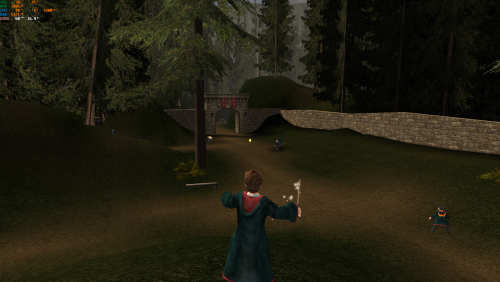
Harry Potter and the Prisoner of Azkaban – PC FPS Fix with Custom Controller Support This fix adds a stable 60 FPS or 120 FPS cap to Harry Potter and the Prisoner of Azkaban using the game’s internal logic. Running the game uncapped causes major timing issues such as the frozen Imp glitch. This release also includes full custom X-Input controller support using Chip’s X-Input backend, allowing the entire game to be played with a modern controller. Features included in this fix 60 FPS or 120 FPS launchers Prevents high-FPS game bugs (including the frozen Imp glitch) Full X-Input controller support Analogue walking and running Fully editable control layout through d3d8.ini Standalone launchers; no game files are overwritten How to use (FPS launchers) Download the fix and extract the folder then go into HP3-FPS-Cap-Game-Launchers. Choose either HP3-60FPSLauncher.exe or HP3-120FPSLauncher.exe. Extract the launcher you want into the game’s system folder next to hppoa.exe. Run the chosen launcher one time. If the launcher does not start the game, try running it as administrator. You can then continue to play the game normally using hppoa.exe. How to use (Custom controller support) Download the fix and extract the folder then go into HP3-Custom-Controller. The controller layout is provided by default as in the images above. Extract d3d8.dll and d3d8.ini into the game’s install folder, usually: C:\Program Files (x86)\EA Games\Harry Potter and the Prisoner of Azkaban(TM)\system The game must load through hppoa.exe in this folder. Walking and running are analogue using the left stick. All controls can be customised inside d3d8.ini, with clear explanations in the file. If you experience double input Go to: C:\Users\YOUR_NAME\Documents\Harry Potter and the Prisoner of Azkaban Open hppoa.ini Set UseJoystick=True to UseJoystick=False This disables the game’s built-in controller detection to prevent conflicts with X-Input. Vote to see the game return via GOG Dream list If you are interested in potentially seeing this game easily available to purchase and use today then go and vote on the games GOG Dream list to help make this become a reality, you can vote for the game here and write a message about the game if you wish – https://www.gog.com/dreamlist/game/harry-potter-and-the-prisoner-of-azkaban-2004 Issues/Problems If you have any issues with the fixes then please go to the Discord for help: https://discord.gg/eVJ7sQH7Cc Credits Base wrapper by Elisha Riedlinger & ThirteenAG. Additional game-specific patches, controller support, reverse engineering, enhancements, and configuration by Chip. Fix Enhancers https://fixenhancers.wixsite.com/fix-enhancers “Creating compatibility fixes and enhancements for legacy PC games.” Chip – founder, reverse engineer, programmer, developer, game preservationist JokerAlex21 – founder, admin, tester -
Version 1.0.0
735 downloads
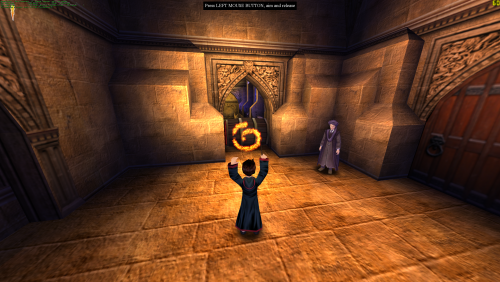
Harry Potter and the Philosopher’s Stone / Sorcerer’s Stone – PC FPS Fix This fix applies a stable 60 FPS cap to Harry Potter and the Philosopher’s Stone / Sorcerer’s Stone using the game’s internal timing logic. The engine does not have a proper way to limit framerate, and running uncapped can break physics, animations, and scripted events. This launcher forces a safe, stable framerate so the game behaves correctly. Features included in this fix Stable 60 FPS cap using internal engine logic Standalone launcher; no game files are modified Prevents high-FPS bugs, physics issues, and animation timing errors How to use Download the fix. Extract hp1-60FPSLauncher.exe into the game’s “system” folder next to hp.exe. Launch the game using hp1-60FPSLauncher.exe instead of hp.exe one time. You can now proceed to play the game normally using the games original hp.exe. Additional notes Running the game above 60 FPS causes timing issues; the launcher prevents this by using the games internal FPS logic and capping it. Issues/Problems If you have any issues, with the fixes then please go to discord for help linked below. https://discord.gg/eVJ7sQH7Cc Vote to see the game return via GOG Dream list If you are interested in potentially seeing this game easily available to purchase and use today then go and vote on the games GOG Dream list to help make this become a reality, you can vote for the game here and write a message about the game if you wish – https://www.gog.com/dreamlist/game/harry-potter-and-the-sorcerer-s-stone Credits Chip for creating the patcher program. Fix Enhancers https://fixenhancers.wixsite.com/fix-enhancers “Creating compatibility fixes and enhancements for legacy PC games.” Chip – founder, reverse engineer, programmer, developer, game preservationist JokerAlex21 – founder, admin, tester -
Version 1.0.0
277 downloads
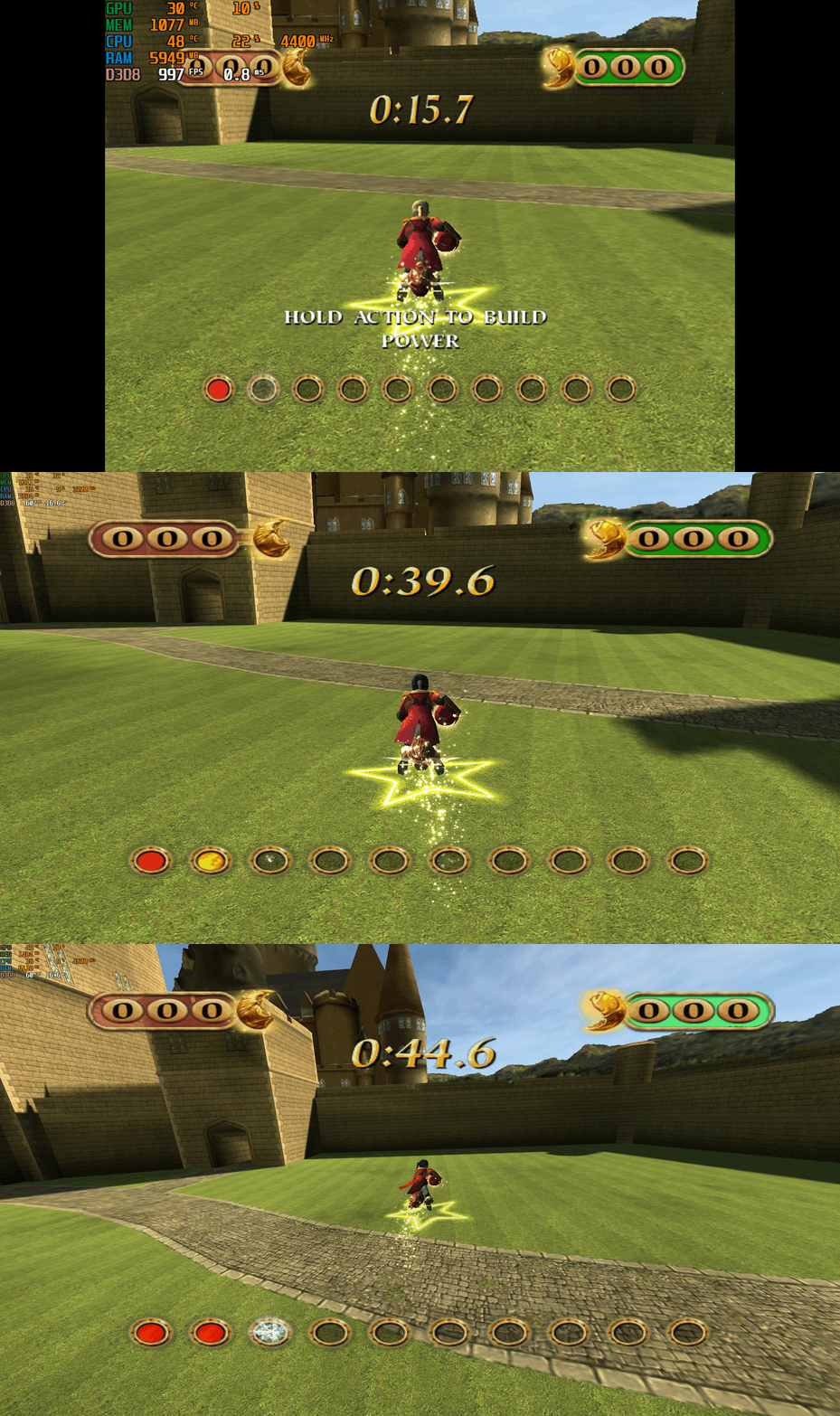
Harry Potter: Quidditch World Cup – PC Fix This fix adds modern PC features to Harry Potter: Quidditch World Cup, including widescreen resolution support, higher aspect ratios, higher framerates, adjustable FOV, and compatibility with the Spectral Platypus developer console mod. It is based on Elisha Riedlinger’s Direct3D 8 wrapper and expanded with additional enhancements and patches by Chip. Features included in this fix Widescreen and ultrawide resolution support Correct aspect ratio options Adjustable FOV values FPS unlocking Compatibility with the Spectral Platypus developer console mod Editable d3d8.ini configuration Developer console compatibility This fix is fully compatible with the developer console mod by Spectral Platypus. Download the console mod from: https://github.com/SpectralPlatypus/QWC-Console/releases/tag/v1.2 Place d3d8.dll and imgui.ini from the mod into the game folder next to QWC.exe. Then download hpqwcfix-consolemodcompatable.zip from Harry Potter Quidditch World Cup fix and extract its contents into the same folder. This allows you to use both the developer console and the Harry Potter Quidditch World Cup fix patch simultaneously. Instructions for using the developer console are available on the mod’s GitHub page. How to use Download the Harry Potter: Quidditch World Cup fix. Extract d3d8.dll and d3d8.ini into your game folder next to QWC.exe. Edit d3d8.ini to configure resolution, aspect ratio, FPS and FOV. Resolution and Aspect Ratio The default Resolution is set to 1920x1080. Change the Width and Height fields to your preferred resolution. The default Aspect Ratio value is 1 (16:9). Choose a different preset by selecting the number matching your display. FPS The default FPS limit is 60. You may change this value or uncap it completely with 0 using the FPSLimit option in d3d8.ini. FOV The default FOV value is 0, which corresponds to the game’s original FOV of around 114. Increase the FOV value to zoom out the camera further. Additional notes This game benefits greatly from higher aspect ratios and modern resolution support. All configuration is handled through d3d8.ini. Official video guide https://www.youtube.com/watch?v=0yXGO3415-o Issues/Problems If you have any issues, with the fixes then please go to discord for help linked below. https://discord.gg/eVJ7sQH7Cc Vote to see the game return via GOG Dream list If you are interested in potentially seeing this game easily available to purchase and use today then go and vote on the games GOG Dream list to help make this become a reality, you can vote for the game here and write a message about the game if you wish – https://www.gog.com/dreamlist/game/harry-potter-quidditch-world-cup-2003 Credits Base wrapper by Elisha Riedlinger & ThirteenAG. Additional game-specific patches, reverse engineering, enhancements, and configuration by Chip. Fix Enhancers https://fixenhancers.wixsite.com/fix-enhancers “Creating compatibility fixes and enhancements for legacy PC games.” Chip – founder, reverse engineer, programmer, developer, game preservationist JokerAlex21 – founder, admin, tester -
Version 1.0.0
476 downloads
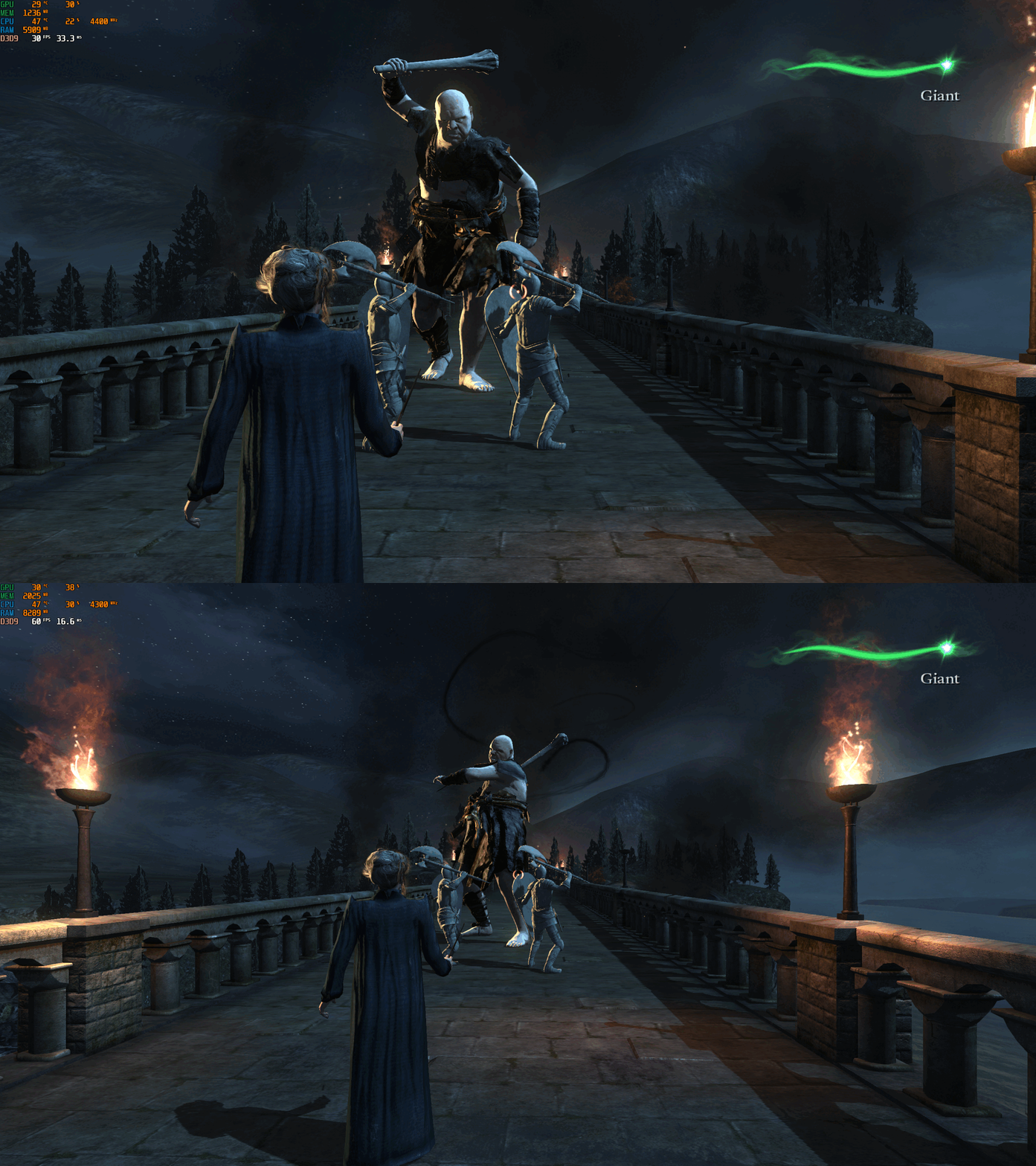
Harry Potter and the Deathly Hallows Part 2 – PC Fix This fix adds modern PC features to Harry Potter and the Deathly Hallows Part 2, including higher aspect ratio support (exclusive to EA App version), adjustable FOV, and stable 60 FPS cap. It is based on Elisha Riedlinger’s Direct3D 9 wrapper and expanded with additional enhancements and patches by Chip. Features included in this fix Higher aspect ratio options (hp8fix version only/EA App) Adjustable FOV Stable 60 FPS gameplay Editable d3d9.ini configuration Support for EA App and non-EA App versions How to use Download the Harry Potter and the Deathly Hallows Part 2 fix. If using hp8fix.zip, extract d3d9.dll and d3d9.ini into the game folder next to hp8.exe. If using hp8NonEAAPPversion.zip, extract d3d9.dll, d3d9.ini, and fps.dll into the same folder. Edit d3d9.ini to set your preferred aspect ratio, FPS limit, FOV, and other options. Important installation notes This game may not behave correctly unless installed to its default location on the C drive. If issues occur, right-click the game folder, disable “Read-only”, then check all permissions in the Security tab. Aspect ratio Aspect ratio settings are available only in hp8fix.zip. The default Aspect Ratio value is 0 (16:9). Change this number to one of the available presets to match your display’s aspect ratio. FPS The default FPS limit is 60. You may lower this value or uncap it with 0, but the game breaks if run above 60 FPS. The engine’s maximum safe framerate is 60; exceeding this causes major gameplay issues. FOV The default FOV option is set to 1 (on). You can disable the FOV enhancement by changing this value to 0 in d3d9.ini. Additional notes The Non EA App version of the game requires the hp8NonEAAPPversion.zip fix. Make sure the game files have full write permissions, or the fix may not load correctly. Official video guide https://www.youtube.com/watch?v=FSrXKPkEST0 Issues/Problems If you have any issues, with the fixes then please go to discord for help linked below. https://discord.gg/eVJ7sQH7Cc Vote to see the game return via GOG Dream list If you are interested in potentially seeing this game easily available to purchase and use today then go and vote on the games GOG Dream list to help make this become a reality, you can vote for the game here and write a message about the game if you wish – https://www.gog.com/dreamlist/game/harry-potter-and-the-deathly-hallows-part-2-2011 Credits Base wrapper by Elisha Riedlinger & ThirteenAG. Additional game-specific patches, reverse engineering, enhancements, and configuration by Chip. Fix Enhancers https://fixenhancers.wixsite.com/fix-enhancers “Creating compatibility fixes and enhancements for legacy PC games.” Chip – founder, reverse engineer, programmer, developer, game preservationist JokerAlex21 – founder, admin, tester -
Version 1.0.0
652 downloads
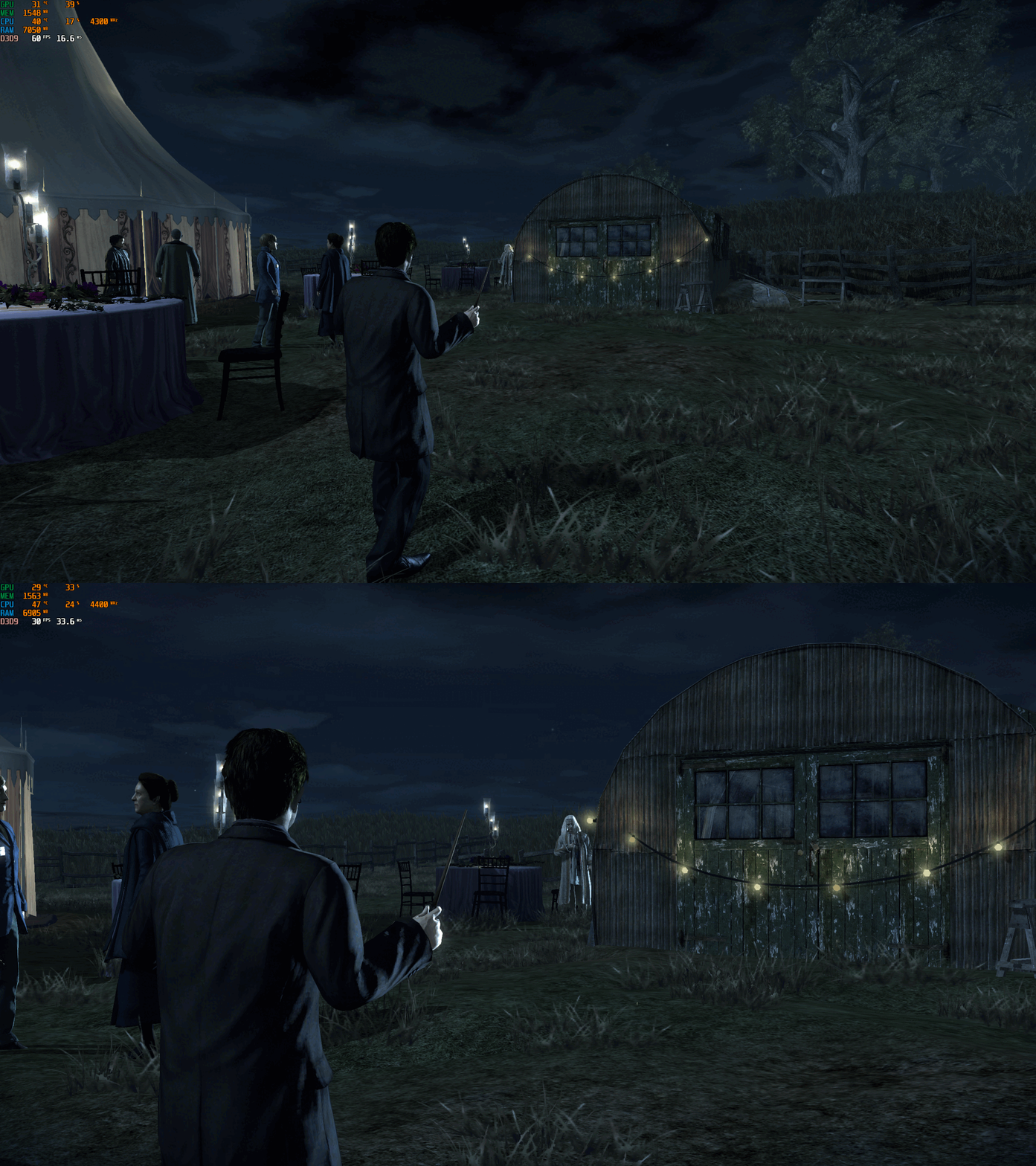
Harry Potter and the Deathly Hallows Part 1 – PC Fix This fix adds modern PC features to Harry Potter and the Deathly Hallows Part 1, including higher aspect ratios, FPS unlocking with optional toggle hotkey, and selectable FOV options. It is based on Elisha Riedlinger’s Direct3D 9 wrapper and expanded with additional enhancements and patches by Chip. Features included in this fix Correct aspect ratio options Optional zoomed-out FOV or original game FOV FPS unlocking with or without toggle Editable d3d9.ini configuration How to use Download the Harry Potter and the Deathly Hallows Part 1 fix. Use one of the following fixes: hp7fix.zip, hp7fixNOTOGGLE.zip, hp7fixOriginalFOV.zip, or hp7fixOriginalFOVNOTOGGLE.zip. Extract d3d9.dll and d3d9.ini into your game folder next to hp7.exe. Edit d3d9.ini to set your preferred aspect ratio, FPS and FOV. Aspect Ratio The default Aspect Ratio value is 0, which corresponds to 16:9. Choose another preset by replacing 0 with the number that matches your display. FPS The default FPS limit is 60. You can change this value or fully uncap it by setting it to 0. hp7fixNOTOGGLE.zip runs at the FPS you set in the ini file. Menus will speed up, but cutscenes remain correctly timed. hp7fix.zip allows toggling between your chosen FPS and the original 30 FPS using the “9” key (top row, not numpad). Press the key again if it does not toggle the first time. After the initial switch, it will alternate cleanly. FOV hp7fix.zip and hp7fixNOTOGGLE.zip include a zoomed-out FOV. hp7fixOriginalFOV.zip and hp7fixOriginalFOVNOTOGGLE.zip use the original FOV values. Choose the version that fits how you want to play the game. Additional notes The “9” key toggle helps bypass FPS-related menu issues. Cutscenes are unaffected and play at correct speed. All settings are controlled through d3d9.ini. Official video guide https://www.youtube.com/watch?v=B1HhMPvchx0 Issues/Problems If you have any issues, with the fixes then please go to discord for help linked below. https://discord.gg/eVJ7sQH7Cc Vote to see the game return via GOG Dream list If you are interested in potentially seeing this game easily available to purchase and use today then go and vote on the games GOG Dream list to help make this become a reality, you can vote for the game here and write a message about the game if you wish – https://www.gog.com/dreamlist/game/harry-potter-and-the-deathly-hallows-part-1-2010 Credits Base wrapper by Elisha Riedlinger & ThirteenAG. Additional game-specific patches, reverse engineering, enhancements, and configuration by Chip. Fix Enhancers https://fixenhancers.wixsite.com/fix-enhancers “Creating compatibility fixes and enhancements for legacy PC games.” Chip – founder, reverse engineer, programmer, developer, game preservationist JokerAlex21 – founder, admin, tester -
Version 1.0.1
825 downloads
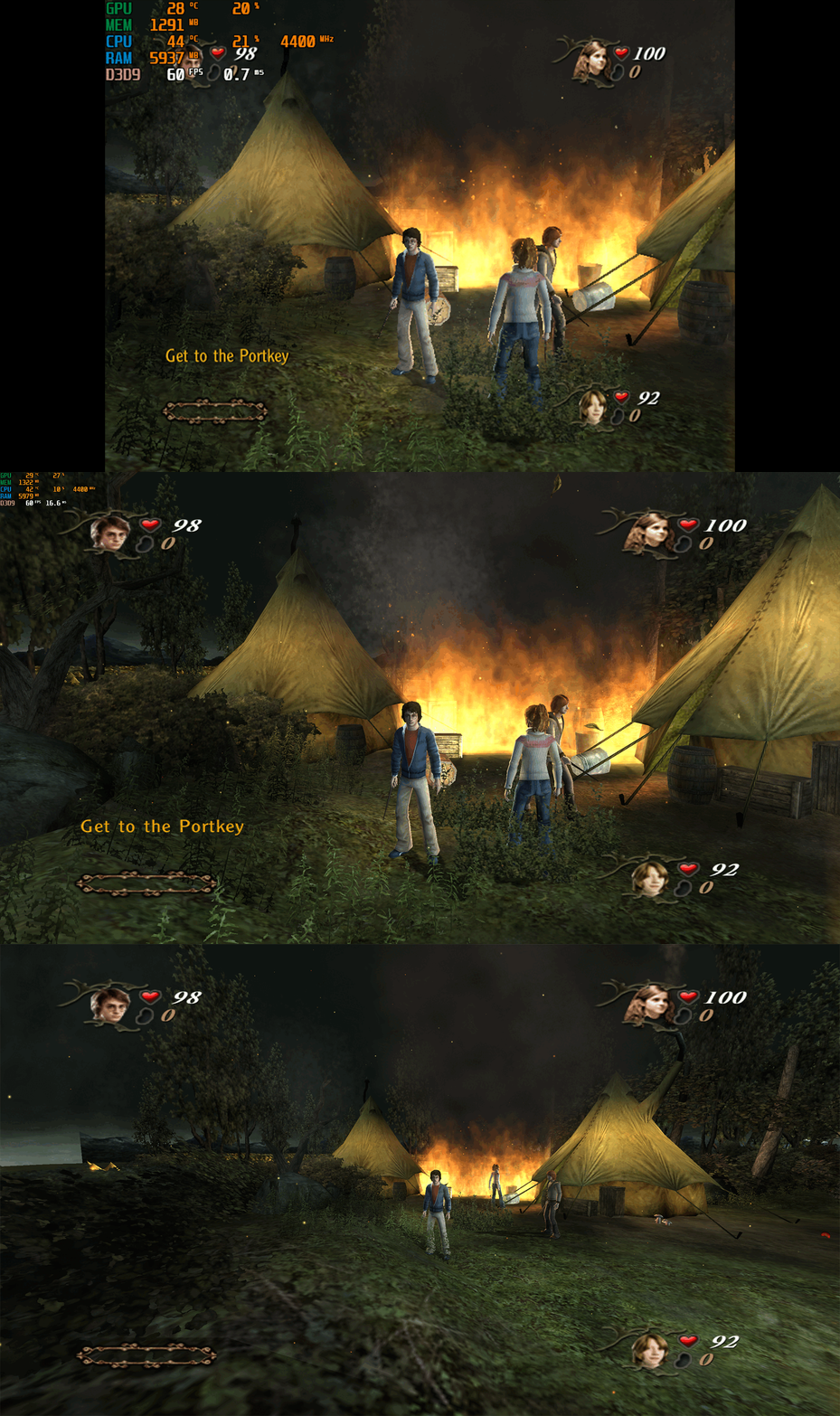
Harry Potter and the Goblet of Fire – PC Fix This fix adds modern PC features to Harry Potter and the Goblet of Fire, including widescreen resolution support, corrected aspect ratios, higher framerates, adjustable FOV and a patch for the game-breaking crashes that occurred on certain levels when using resolutions above 1080p. It is based on Elisha Riedlinger’s Direct3D 9 wrapper and expanded with additional enhancements and patches by Chip. Features included in this fix Widescreen and ultrawide resolution support Correct aspect ratio options Adjustable FOV values FPS unlocking Patch for crashes at resolutions above 1080p Editable d3d9.ini configuration How to use Download of the Harry Potter and the Goblet of Fire PC Fix. Extract d3d9.dll and d3d9.ini into the game’s installation folder next to gof_f.exe. Edit d3d9.ini to set your preferred resolution, aspect ratio, FPS limit, and FOV values. Resolution and Aspect Ratio The default resolution in d3d9.ini is set to 1920x1080. Change the Width and Height values to your desired resolution. The default AspectRatio is 1 (16:9). Choose the correct aspect ratio for your display by changing the number to one of the available presets in the ini file. FPS The default FPS limit is 60. You may change this value or set it to 0 to fully uncap the framerate. FOV The default FOV value is 0, which corresponds to the game’s original FOV of 114. You may increase this number to zoom the camera out further. Additional notes This fix resolves the specific crash that occurred on the following levels when using resolutions above 1080p 'Forbidden Forest, The Lake Task (2nd Task), The Maze Task (3rd Task) and Voldemort'. All settings can be adjusted through d3d9.ini. Official video guide https://www.youtube.com/watch?v=gMjPTeB_tHI Issues/Problems If you have any issues, with the fixes then please go to discord for help linked below. https://discord.gg/eVJ7sQH7Cc Vote to see the game return via GOG Dream list If you are interested in potentially seeing this game easily available to purchase and use today then go and vote on the games GOG Dream list to help make this become a reality, you can vote for the game here and write a message about the game if you wish – https://www.gog.com/dreamlist/game/harry-potter-and-the-goblet-of-fire-2005 Credits Base wrapper by Elisha Riedlinger & ThirteenAG. Additional game-specific patches, reverse engineering, enhancements, and configuration by Chip. Fix Enhancers https://fixenhancers.wixsite.com/fix-enhancers “Creating compatibility fixes and enhancements for legacy PC games.” Chip – founder, reverse engineer, programmer, developer, game preservationist JokerAlex21 – founder, admin, tester -
Version 1.0.0
756 downloads
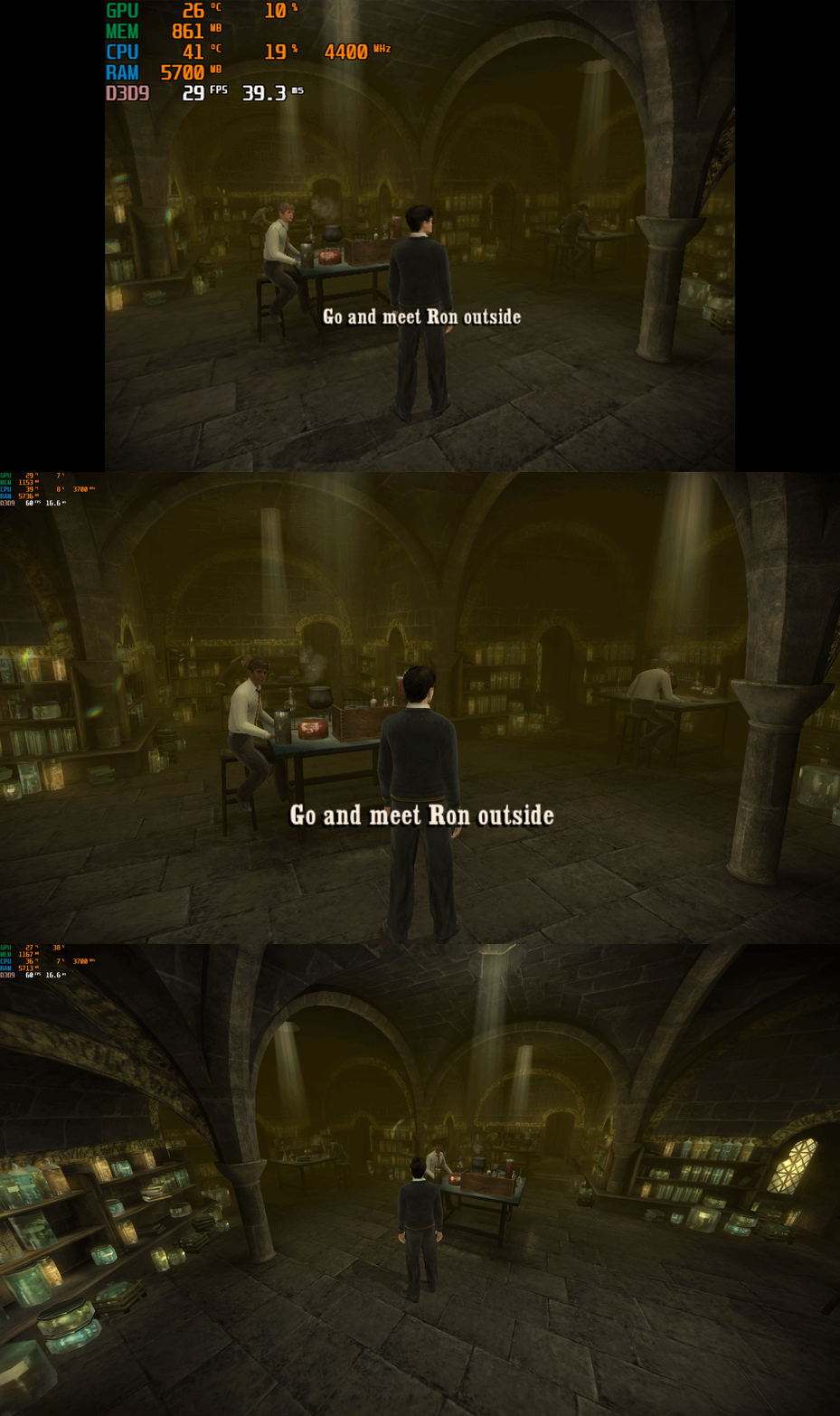
Harry Potter and the Half-Blood Prince – PC Fix This fix adds modern PC features to Harry Potter and the Half-Blood Prince, including widescreen resolution support, aspect-ratio correction, 60 or 120 FPS options, and optional FOV adjustments. It is based on Elisha Riedlinger’s Direct3D 9 wrapper and expanded with additional enhancements and patches by Chip. Features included in this fix Widescreen and ultrawide resolution support Correct aspect ratio options FOV / camera distance adjustments (0–3 levels) 60 FPS or 120 FPS frame-rate versions Editable d3d9.ini configuration Optional Nvidia Control Panel settings to fix stutter for affected users How to use Launch the game once, open the Video Options, set the resolution to 640x480, then exit the game. This step is required so the wrapper initializes correctly. Download the folder; inside there are two folders. Choose the one which matches your monitor’s refresh rate (60 FPS for 60 Hz, 120 FPS for 120 Hz and above). Put d3d9.dll, d3d9.ini, and fps.dll into the game folder next to HP.exe. Edit d3d9.ini to set your preferred resolution, aspect ratio, FOV, and other options. Additional notes If the resolution does not apply automatically, select it once inside the in-game Video Options. AspectRatio in the ini file uses numbered presets. The default is 0 (16:9). FOV values 1–3 move the camera further back. Value 0 keeps the original game camera. If FPS is stuttery or unstable, set the FPS cap in d3d9.ini to 0 (uncapped), then configure the game in your GPU control panel: Low Latency Mode: Ultra Max FPS: 278 V-Sync: Fast This also fixes issues where the mouse cursor jumps or spins across the screen. A full installation walkthrough is available in the video below. Official video guide https://www.youtube.com/watch?v=DTkDNoQrxhU Issues/Problems If you have any issues, with the fixes then please go to discord for help linked below. https://discord.gg/eVJ7sQH7Cc Vote to see the game return via GOG Dream list If you are interested in potentially seeing this game easily available to purchase and use today then go and vote on the games GOG Dream list to help make this become a reality, you can vote for the game here and write a message about the game if you wish – https://www.gog.com/dreamlist/game/harry-potter-and-the-half-blood-prince-2009 Credits Base wrapper by Elisha Riedlinger & ThirteenAG. Additional game-specific patches, reverse engineering, enhancements, and configuration by Chip. Fix Enhancers https://fixenhancers.wixsite.com/fix-enhancers “Creating compatibility fixes and enhancements for legacy PC games.” Chip – founder, reverse engineer, programmer, developer, game preservationist JokerAlex21 – founder, admin, tester -
Version 1.0.0
522 downloads
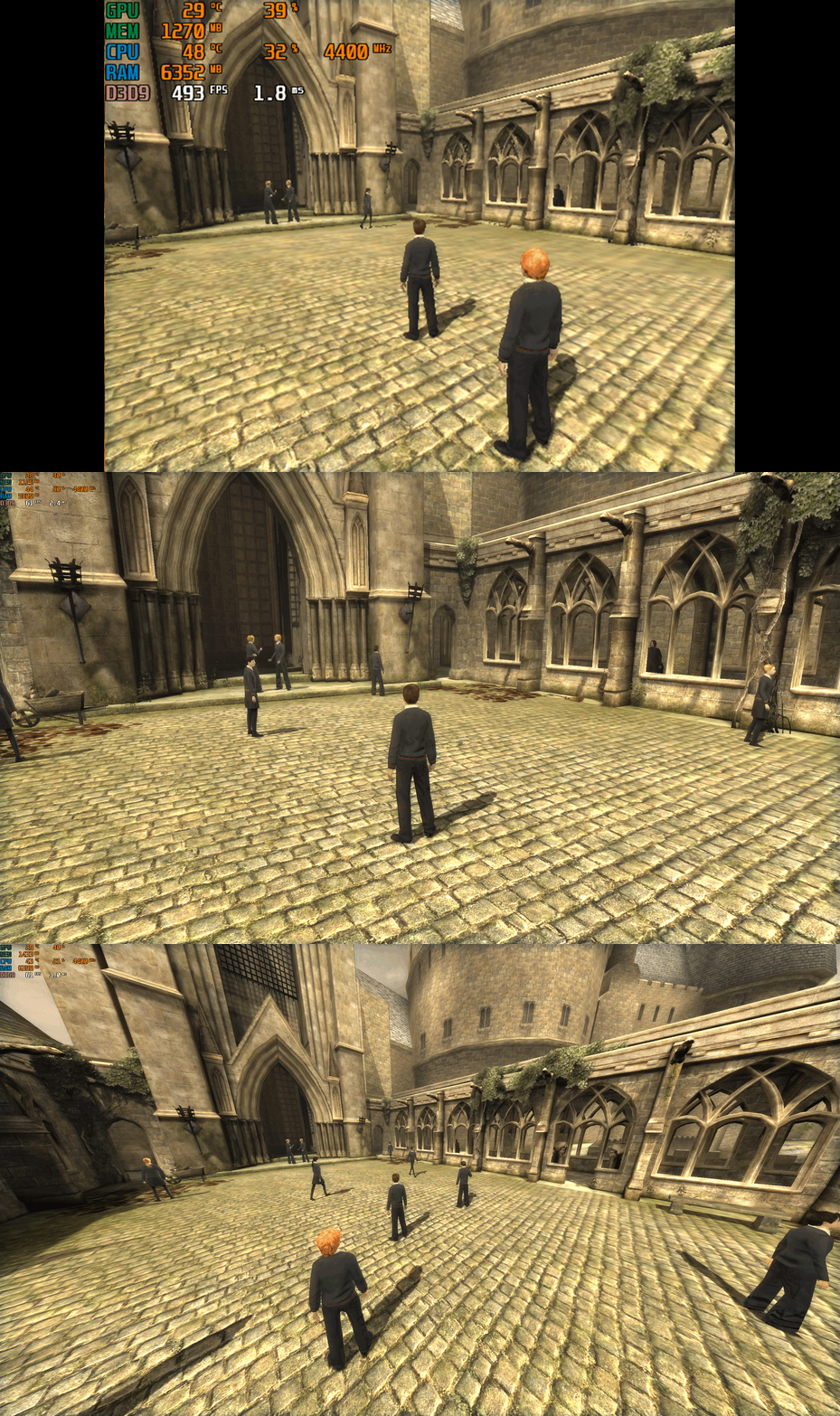
Harry Potter and the Order of the Phoenix – PC Fix This fix adds modern PC features to Harry Potter and the Order of the Phoenix, including widescreen resolution support, aspect-ratio correction, higher frame rates (60 or 120 FPS), and optional FOV adjustments. It is based on Elisha Riedlinger’s Direct3D 9 wrapper and expanded with additional enhancements and patches by Chip. Features included in this fix Widescreen and ultrawide resolution support Correct aspect ratio options FOV / camera distance adjustments (0–3 levels) 60 FPS or 120 FPS frame-rate versions Editable d3d9.ini configuration How to use Launch the game once, open the Video Options, set the resolution to 640x480, then exit the game. This step is required so the wrapper initializes correctly. Download the folder; inside there are two folders. Choose the one which matches your monitor’s refresh rate (60 FPS for 60 Hz, 120 FPS for 120 Hz and above). Put d3d9.dll, d3d9.ini, and fps.dll into the game folder next to HP.exe. Edit d3d9.ini to set your preferred resolution, aspect ratio, FOV, and other options. Play the game. Additional notes If the resolution does not apply automatically, select it once inside the in-game Video Options. AspectRatio in the ini file uses numbered presets. The default is 0 (16:9). FOV values 1–3 move the camera further back. Value 0 keeps the original game camera. A full installation walkthrough is available in the video below. Official video guide https://www.youtube.com/watch?v=VeZ-Envz9ME Issues/Problems If you have any issues, with the fixes then please go to discord for help linked below. https://discord.gg/eVJ7sQH7Cc Vote to see the game return via GOG Dream list If you are interested in potentially seeing this game easily available to purchase and use today then go and vote on the games GOG Dream list to help make this become a reality, you can vote for the game here and write a message about the game if you wish – https://www.gog.com/dreamlist/game/harry-potter-and-the-order-of-the-phoenix-2007 Credits Base wrapper by Elisha Riedlinger & ThirteenAG. Additional game-specific patches, reverse engineering, enhancements, and configuration by Chip. Fix Enhancers https://fixenhancers.wixsite.com/fix-enhancers “Creating compatibility fixes and enhancements for legacy PC games.” Chip – founder, reverse engineer, programmer, developer, game preservationist JokerAlex21 – founder, admin, tester
